Social Icons

Friday, March 29, 2013

Mountain Lion V/S iOS6: Feature Comparison-Part 3


When Mountain Lion launched it looked a lot similar to its iOS cousin and here are the comparison between these two


5. Notes


 To be honest, i dont use that at all,because I prefer Word for my word processing.Notes has been around as long as iOS has, and it’s seen very few changes, one of the only major ones being when it got 2 new fonts to use as the default. In iOS 6, one of the only changes to it is Sharing capabilities, which actually started in iOS 5. This year though, with Mountain Lion, Apple brought iCloud to Notes. They built a Notes application for the Mac that mimics the appearance of it’s iOS siblings, and also only has the same 3 font options. However, now whenever you write a note within any of these 3 applications, it will sync across all of your devices flawlessly. It’s a tad more buggy than the previous two services, but the operating systems are both still in beta, so I expect it to get better. The only issues I have had is that they take a little longer than I would expect for them to sync, sometimes 10-15 minutes compared to the Reminders app’s 2-5 seconds. Nonetheless, it’s a great service for anyone that like to use the Notes application. Below is a screenshot of both the iPad and Mac’s Notes applications.


As the screenshots show, they are very similar looking applications. And the work the same too. All you do is type away, no real word processing options are included in either version (but that’s why it’s called Notes and not Pages). If all you do is take quick notes in something such as meetings or class, this application will be great for you. You will be able to take notes in a meeting with your iPhone or iPad and it will all be synced seamlessly with your Mac.


 6. Game Center 


Another one of the multiple applications that made the iOS to OS X jump is Game Center. Game Center, as many of you know, is Apple’s social gaming platform, where you can view your friends scores versus yours, see global scores, play multiplayer games, etc. Now with Mountain Lion, you can do all that via your Mac as well. In the WWDC Keynote, Apple did a demo of Game Center for OS X by showing how you could do multiplayer between not just iOS devices, but an iOS device and a Mac, or even two or more Macs now.


Game Center is a great service. When I have tried out its multiplayer features, it’s always very quick. You get a nice notification with a different Game Center specific jingle when friends request to play a game, and it’s very easy to jump right into the application they have requested you to play. I can definitely see myself, and others, using this feature as more developers take advantage of it.


Mountain Lion V/S iOS6: Feature Comparison-Part 4

When Mountain Lion launched it looked a lot similar to its iOS cousin and here are the comparison between these two

7. Dictation 


When the new iPad shipped with only Dictation, I was disappointed. I wanted Siri. I use at now all the time for things such as Messages, Google, Reminders, and more. And with the addition of full Siri support on the new iPad, I use it even more for miscellaneous things. In OS X 10.8, Apple has brought that same Dictation to the Mac. In System Preferences there is now a “Dictation” panel where you can turn it on and set a keyboard shortcut that will activate it whenever you are in a text field. For instance, mine (and the default) is double tapping the Function key. I find this feature very useful in helping me use a feature that I don’t use much now; Notes. When on my Mac, if I need to make note of something, I simply open Notes, activate Dictation, talk away, and then that note gets synced with my iPad if I ever need it there. It may be just an overlooked gimmick for some, but I definitely see many people using it once they give it a try.


8. Social 


Social integration has become big among manufacturers of all kinds. Apple is no exception. Twitter and Facebook are both two of the largest Social Networks in the world, and Apple has gone ahead and built both in natively to iOS and OS X. In iOS, Twitter integration began last year with iOS 5, with Facebook being added on in iOS 6. Now, in Notification Center, there is both a “Tap to Tweet” and “Tap to Post” button for both the services, depending on which you have set up. In OS X, currently there is is only Twitter integration, but Apple’s site for Mountain Lion states that Facebook is “coming this fall.” It is the same as in iOS, you can share posts from Notification Center and more. In both systems, there are “Share” button spread throughout. When clicked there is a “Twitter” and “Facebook” button now (if applicable). You can share pictures, links, videos, and more. All quick, easy, and natively built in.

Thursday, March 28, 2013

Mountain Lion V/S iOS6: Feature Comparison-Part 5


When Mountain Lion launched it looked a lot similar to its iOS cousin and here are the comparison between these two

9. Other similarities (e.g. Launchpad, FaceTime, Spotlight, Automatic Downloads, App Store) 


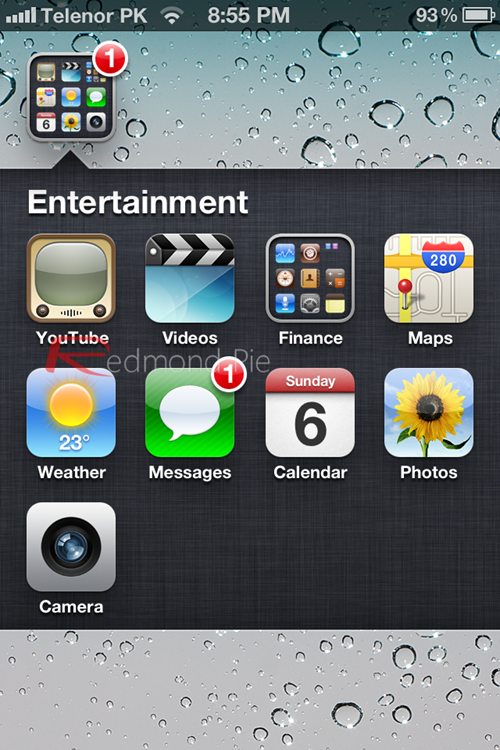
There are also many little features here and there that OS X and iOS have in common. A few of the most noticeable I have listed here: Launchpad (or the iOS home screen), FaceTime, Spotlight, Automatic Downloads, and the App Stores. Launchpad was introduced in OS X Lion, and it got improved in small ways but useful ways in OS X Mountain Lion. The first new part that caught my eye was the search at the top of it, allowing you to search through all of you applications very quickly. Launchpad resembles the iOS home screen quite obviously, even going as far as having the same icon for folders and the same background for them as well. This was one of the major points that made people start noticing the similarities between OS X and iOS last year.


How to get ios6 Features in iOS 5-Part 1

iOS6 had little to impress and more to depress, but what if you want to have the best of both worlds


New Siri Features 


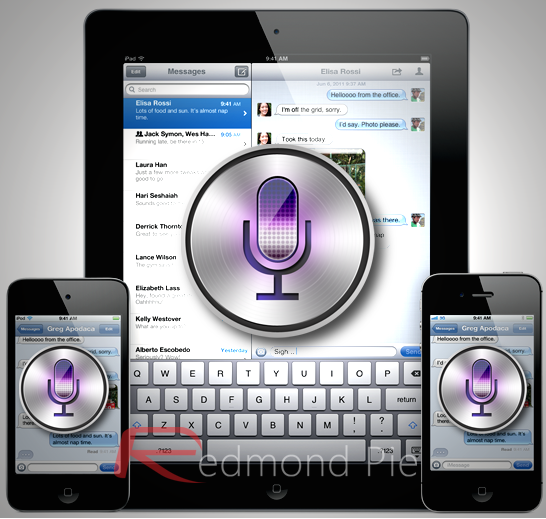
 Believe it or not, Siri’s new features – including the ability to take sports-related queries and local searching in newer countries – have already been implemented in one way or the other with tweaks from Cydia.

 Let’s start with sports: SiriSports tweak, free from Cydia under ModMyi, lets you make queries related to NBA, MLB and NHL from Siri. You can look up match timings, statistics and scores with phrases like Did The Giants win last night?, just like it was shown in the WWDC keynote.


Sireet, free from Cydia under ModMyi, lets you use Siri to tweet. Just saying Tweet [your actual tweet] and Siri will do the rest. Last but not least.
Those of you in unsupported countries can install International Locations for Siri ($0.99, BigBoss repo) to get local search. There are many other Siri tweaks available with go well beyond its limited built-in feature-set.


Siri for iPad 

 Siri on the iPad is something which we’ve been looking forward to, but since the launch of the iPhone 4S and iOS 5. We knew Apple would eventually bring Siri on other devices


And now, Siri has finally made its way onto the iPad with iOS 6. But there’s one problem, iOS 6’s launch is a bit far away, and only the 3rd-gen iPad is supported to work with Siri.
 Fear not, the jailbreak community has us covered with a tweak called Spire, which brings Siri to the iPad. But there’s one small catch, it doesn’t support iOS 5.1.x and will work on devices running iOS 5.0.1 or earlier, which also means that it won’t support the new 3rd-gen iPad right out of the box even if it’s jailbroken.
 The devices supported by Spire are; iPhone 4, 3GS, iPod touch and the first and second generation iPads.

Wednesday, March 27, 2013

How to get ios6 Features in iOS 5-Part 2


iOS6 had little to impress and more to depress, but what if you want to have the best of both worlds


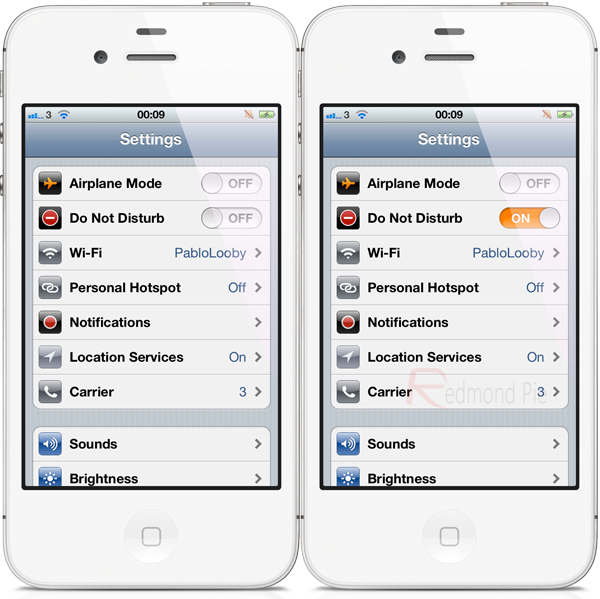
Do Not Disturb

For this you can use BannerDisable (free, BigBoss repo).Just like the iOS 6 feature, it lets you turn off all push notifications with a flip of a toggle from the native Settings app.


FaceTime over Cellular 

 FaceBreak ($1.99, BigBoss repo) has been in Cydia for almost two years now. As the name implies, it lets you make FaceTime calls over 3G.

How to get ios6 Features in iOS 5-Part 3


iOS6 had little to impress and more to depress, but what if you want to have the best of both worlds


Full-screen Mode in Safari

 FullScreen For Safari ($1.99, BigBoss Repo) is another one of Cydia’s famous old tweaks. To make better use of the 4” Retina display, it lets you view webpages without the intrusive bar at the bottom.

Pull To Refresh in Mail app 

 Because of it’s intuitive-ness, Tweetie’s Pull to Refresh feature has made its way through hundreds of other apps such as Facebook, Tweetbot, Sparrow etc. Now Apple has taken notice of it and included it in their Mail app.
The vibrant jailbreak community understood this before Apple and as such, a tweak named Pull to Refresh Mail (free, BigBoss repo) was introduced many, many months ago.

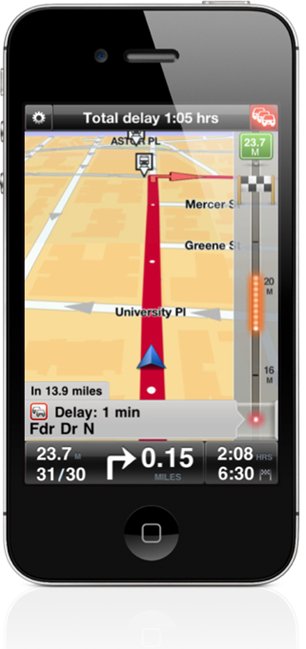
Turn by Turn Navigation 

 One of iOS’ biggest shortcomings, especially when compared to Android, was its lack of turn-by-turn navigation feature. Until its introduction in iOS 6, however, users had plenty of options in the form of third-party apps.


The most well-regarded in this case is TomTom’s official app which costs a whopping $59.99, but the free, crowd-sourced Waze also does a pretty splendid job.

Tuesday, March 26, 2013

How to get ios6 Features in iOS 5-Part 4


iOS6 had little to impress and more to depress, but what if you want to have the best of both worlds

Upload Photos from Safari


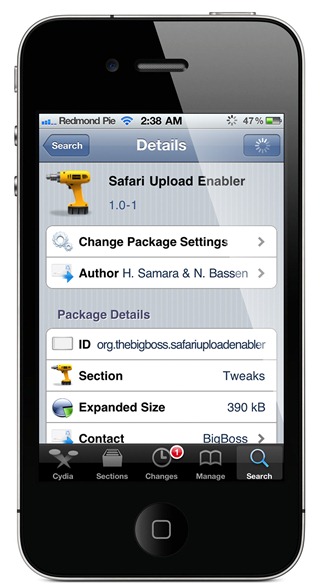
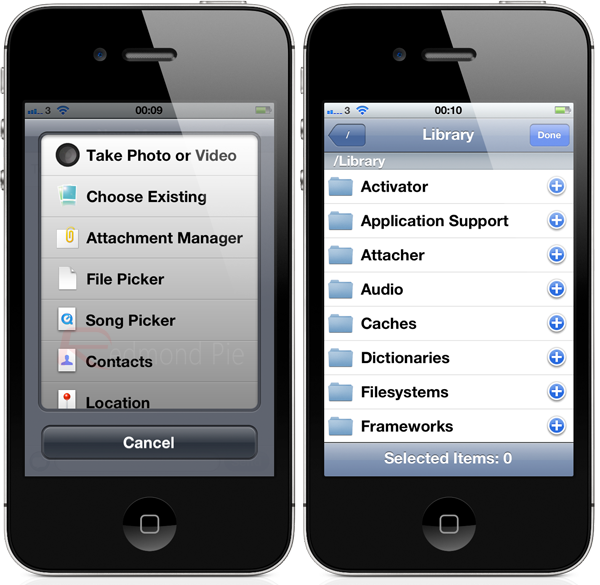
It’s not as elegantly designed as Apple’s feature in iOS 6, but it gets the job done. On sites that give you the option, Safari Upload Enabler ($1.99, BigBoss repo) will let you choose a photo/video using a file browser like on a desktop PC.

 3D Maps 

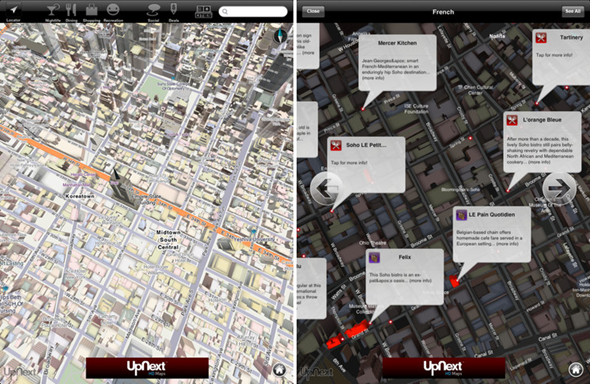
 The most anticipated and one of the crappiest and hottest features in iOS 6 has to be 3D Maps. Giving Google Maps the thumbs down in iOS 6, Apple has stepped up to the roster and implemented their very-own in-house implementation of the Maps app which sports mind-blowing 3D renders of numerous cities around the globe.


Quite unfortunately, there aren’t many apps in the App Store which provide the same results as Apple’s own implementation, but if you’re rocking an iPad then the UpNext HD Maps app is your best bet to get the same Apple-esque results. The only downside of the app is; no support for the iPhone nor the iPod touch. Google announced at the start of this month that they will be bringing a dedicated Maps app to iOS which will bring 3D maps to the masses. Or you can try Google Maps too, which wins hands down

How to get ios6 Features in iOS 5-Part 5


iOS6 had little to impress and more to depress, but what if you want to have the best of both worlds

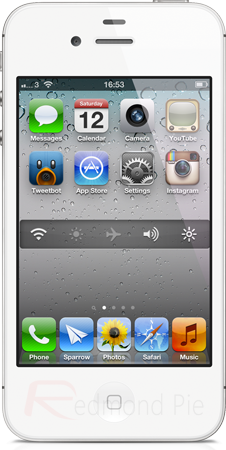
Facebook Integration 


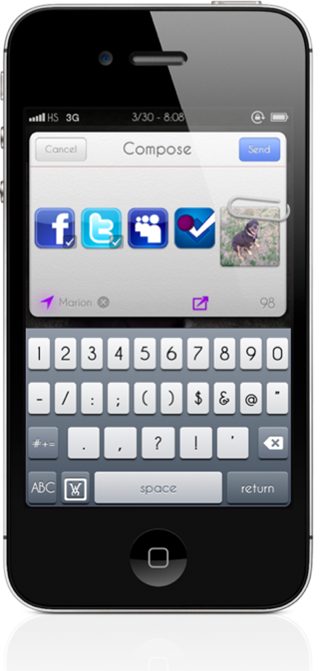
 Facebook Integration in iOS 6? Hah! The jailbreak community released a tweak called Fusion ($2, BigBoss repo) two months ago that not only integrates Facebook in iOS, but also MySpace and Foursquare so you can share photos, links and more just like you would with Twitter.


You can even update your status on these networks with the Siri integration that comes with Fusion. 

Upload Photo to Facebook using native Photos app 


 This is a feature we’ve all been yearning for a long time now, and it’s there in iOS 6 by default, and thankfully the jailbreak community has us covered in this department as well. With a tweak called FacebookThis – free from the BigBoss repo – it allows you to upload photos and images directly from the native Photos app.


Photos Courtesy :Redmondpie

Monday, March 25, 2013

Attacher Pro -Review- Cydia App

iOS is a great OS, but with Apple controlling everything you do, it can be a lot messy.

This Cydia App lets you attach and send anything on your phone via SMS or 3rd party messengers

This app is called ATTACHER PRO, and is available for 3$ on Modmyi repo, and it requires iOS 5 and above

Review-Dark Knight Rises-iOS& Android


Gameloft has officially launched a Batman: Dark Knight Rises mobile game in continuation with the movie(of the same name), which supports devices running both Google’s Android and Apple’s iOS mobile operating systems.

 The gameplay which you can check out below, looks a lot like to the final installment of the Christian Bale-featuring Batman trilogy. Although the title will be based on the actual motion picture in a certain way, it will not follow the exact same plot, as not to steal the thunder and spoil the surprises packed into the movie.


In this game you meet all of Batman’s allies and regain your strength to protect Gotham City from Bane. Become completely immersed in the story thanks to likenesses of all the movie’s main characters like Catwoman, Lucius Fox and Commissioner Gordon.

Dozens of missions plus random events will make you feel all the thrills of being a superhero. Deal with hostage situations, bomb squads, jailbreaks and car chases to prove that you’re the true protector of Gotham.
A thrilling fighting system that puts you right in the heart of the action thanks to many different moves and cinematic effects. Collect items hidden within the city to unlock upgrades and new fighting skills for Batman.

Score-3.8/5

Saturday, March 23, 2013

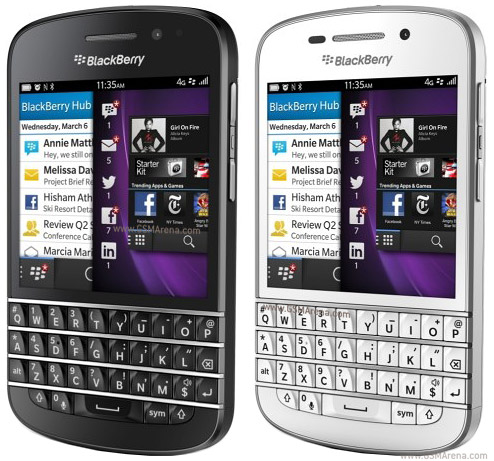
5 Uses of BlackBerry Protect-Part 1

In this day and age, you care about your mobile like your own family member, and this is all for the blackberry boys(and girls).

Here are the uses of BlackBerry Protect a free app on BB World


1. Automatic Backups
 You can use BlackBerry Protect to automatically back up your data daily, weekly, or monthly. When you turn on the automatic backup feature, BlackBerry Protect backs up your data at the specified frequency when your BlackBerry smartphone is connected to the wireless network and you are not using it currently. If your smartphone is turned off or not connected to the wireless network when a scheduled backup is due, BlackBerry Protect backs up your data the next time that your smartphone is turned on and connected.


Note: Password Keeper and Wi-Fi® Network Profiles will be available for backup on BlackBerry® 7 smartphones only. If you use BlackBerry® 6 or earlier, please make a backup using BlackBerry Desktop Software to ensure Password Keeper and Wi-Fi Network profile information is backed up safely.

Movie on Steve Jobs

A movie on Apple Genius Steve Jobs is all set to be released soon and here are some photos

There is a lot of resemblance between the Apple founder and the movie/TV actor. Other actors include Josh Gad as Apple's 
 co-founder, Steve Wozniak; Ahna O'Reilly as Jobs' first serious girlfriend, Chris-Ann Brennan; Dermot Mulroney as the second Apple CEO, Mike Markkula and some unnamed actor as a very convincing Bill Gates. The shots of these stars on set show us that Kutcher isn't the only one who looks a heck of a lot like the person he is portraying.

Friday, March 22, 2013

5 Uses of BlackBerry Protect-Part 2


In this day and age, you care about your mobile like your own family member, and this is all for the blackberry boys(and girls).

Here are the uses of BlackBerry Protect a free app on BB World


2. Protect your Information
If you ever misplace or lose your BlackBerry smartphone, there are several features offered by BlackBerry Protect to help you protect your information. One setting in particular that’s extremely useful is the ability to display a message on a BlackBerry smartphone that can include your contact details in case someone finds it.


5 Uses of BlackBerry Protect-Part 3


In this day and age, you care about your mobile like your own family member, and this is all for the blackberry boys(and girls).

Here are the uses of BlackBerry Protect a free app on BB World


3. Find your BlackBerry smartphone Recently I couldn’t find my BlackBerry smartphone and thought I might have left it at a friend’s after leaving a party the night before. Thanks to BlackBerry Protect, I was saved a trip across town – I was able to log in to the BlackBerry Protect website and view my BlackBerry smartphone’s current location, which indicated it was in my house somewhere. Then, instead of spending time looking around my house, I used the “make my BlackBerry smartphone ring” feature which helped me find my BlackBerry smartphone (in between the cushions of my living room couch!).


Thursday, March 21, 2013

5 Uses of BlackBerry Protect-Part 4


In this day and age, you care about your mobile like your own family member, and this is all for the blackberry boys(and girls).

Here are the uses of BlackBerry Protect a free app on BB World


4. Switch BlackBerry smartphones BlackBerry Protect makes it easier to switch to a new BlackBerry smartphone. All you need to do is perform a backup using BlackBerry Protect on your current phone, followed by logging into BlackBerry Protect on your new BlackBerry smartphone and selecting the restore data option.


5 Uses of BlackBerry Protect-Part 5


In this day and age, you care about your mobile like your own family member, and this is all for the blackberry boys(and girls).

Here are the uses of BlackBerry Protect a free app on BB World


5. Remote Backup In addition to performing automatic backups on a set schedule, you also have the ability to perform a remote backup. This setting is very useful if you have misplaced your BlackBerry smartphone and a backup hasn’t been made recently. Just visit the BlackBerry Protect website, where you can perform a remote backup that can be followed by a remote security wipe to remove your personal information, in case you cannot find your BlackBerry smartphone using the location features provided.


Wednesday, March 20, 2013

How to Turn off/on Windows 7 Search

The windows 7 search on the Taskbar is said to hog a lot of battery life so here's how you can turn it off

Disable

1. Go to Control Panel

2.Go to Programs & Features


3.Click on Turn windows Features on/off


4.Uncheck Windows Search


5. Restart

ENABLE

To enable just check the Windows Search again

5 Uses of BlackBerry Protect-Extra

In this day and age, you care about your mobile like your own family member, and this is all for the blackberry boys(and girls).


As you can see, BlackBerry Protect is a great way to manage your BlackBerry smartphone and is something I recommend every BlackBerry smartphone user, not using a BlackBerry® Enterprise Server or BlackBerry® Enterprise Server Express, install it. If your BlackBerry smartphone is using a BlackBerry Enterprise Server or BlackBerry Enterprise Server Express you will be unable to install BlackBerry Protect, or access it from the Setup Wizard included in BlackBerry 7. For more information, check out KB25065 –Unable to use BlackBerry Protect when the BlackBerry smartphone is active on a BlackBerry Enterprise Server which can be found in the BlackBerry Technical Solution Center.
I wanted to share one more thing as well for those of you using a BlackBerry 7 smartphone. You can prevent a person who finds your smartphone from deleting the BlackBerry Protect application by turning on deletion protection using the following steps.


  • Open BlackBerry Protect
  • Press the Menu key and select Options
  • Select the Enable Deletion Protection checkbox
  • Press the Menu key and select Save

  • To learn more about BlackBerry Protect, such as how to install it and use the features I’ve described above, visit the BlackBerry Protect website today.


    Tuesday, March 19, 2013

    Apple TV Competitor-Amkette Evo TV

    Amkette has launched Android Based Evo TV which is a direct competitor to Apple TV, at approx 12K, in India


    The Amkette EvoTV features a motion sensing remote control, similar to the LG Magic wand, which will not only control native functions of the smart TV, but apps as well, enabling users to play games, draw etc, with the six-axis gyroscope. It also boasts of Evo Discover, an internet content discovery tool.


    The company aims for the EvoTV to help consumers transform their regular televisions into ‘Smart TVs’. Capable of playing back 1080p HD video, the EvoTV box sports a 1GHz ARM Cortex A9 processor along with a Mali 400 GPU, to power it all up. Other specifications include 4GB of built-in storage, 7.1 channel audio output, as well as Wi-Fi (DLNA), Ethernet port, 4 USB ports, 3G dongle via USB, SD/MMC slot, component, and HDMI connectivity. The amount of RAM onboard is has currently not been disclosed.


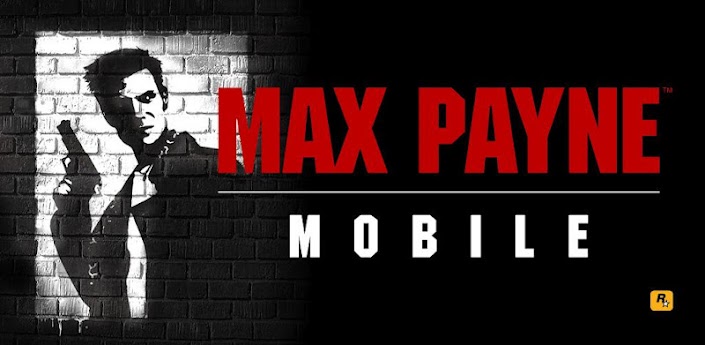
    Max Payne on Android and iOS

    Max Payne(1) is now available on your tablets to play


    Rockstar games has released a list of devices that will support Max Payne.

    If you are using an older generation iOS device, the game supports devices as old as the iPhone 3GS. Below is the complete list of iOS and Android devices that will support the game.

     Supported Android Phones: Motorola Razr, Razr Maxx, Motorola Atrix, Motorola Photon, Motorola Droid Bionic, HTC Rezound, HTC One X, HTC One S, HTC Evo 3D, HTC Sensation, HTC Droid Incredible 2, Samsung Galaxy Nexus, Samsung Nexus S, Samsung Galaxy Note, Samsung S2, Samsung Galaxy R, Sony Xperia Play, Sony Xperia S, Sony Walkman Z Series Media Player

     Supported Android Tablets: Acer Iconia, Asus Eee Pad Transformer, Asus Eee Pad Transformer Prime, Dell Streak 7, LG Optimus Pad, Medion Lifetab, Motorola Xoom, Samsung Galaxy Tab 8.9 / 10.1, Sony Tablet S, Sony Tablet P, Toshiba Thrive, HTC Flyer, HTC Jetstream


    Supported iOS devices: iOS (4.2 and higher): iPhone 3GS, iPhone 4, iPhone 4S, iPod Touch 4th Gen, iPad 1, iPad 2 and the new iPad

     Note: The iOS version is a Universal App and will run on all supported iOS devices. Please note that Social Club is only supported on iPhone 4, iPhone 4S, iPad 2 and the new iPad.


    Monday, March 18, 2013

    Samsung Galaxy S4

    Samsung unveiled Galaxy S4 and here are the specs

    5in Full HD Super AMOLED 1,920 x 1,080 display, 441ppi
    3G (HSPA+ 42Mbits/sec downloads)
    4G (LTE Cat 3 100Mbits/sec download / 50Mbits/sec upload)
    16/32/64GB internal storage microSD slot (up to 64GB)
    1.6GHz Octa-Core processor
    2GB of RAM
    Dual-band 802.11abgn/ac
    Wi-Fi Bluetooth 4 GPS NFC Infrared LED (for remote-control functions) microUSB charger
    13-megapixel rear-facing camera/2-megapixel front-facing camera Full HD video recording at 30fps
    Li-ion 2,600mAh battery
    Android 4.2.2 (Jelly Bean)
    136.6 x 69.8 x 7.9mm 130g

    Interesting Features

    Dual-camera Allows users to video themselves in-screen while shooting footage of friends/family; allows video-callers to see person placing the call and who/what's with them.

    Smart Pause Video stops playing when users avert their gaze from the screen.

    Air View Hover fingers over the screen to get a preview of emails, images or video from the homescreen, without having to open them.

    Group Play Allows the same song to be played back simultaneously through different Galaxy S4 handsets in near proximity.

     Air Gesture Scrolls through web pages, changes music tracks with the wave of a hand. Samsung Knox A feature first introduced on BlackBerry devices, which allows work and personal content to be kept separate on handset.

    S Health Calorie counter, heart-rate monitor, and options to measure blood pressure and blood-sugar levels with additional equipment.

    Samsung Hub A direct rival to Google's Play store, offering music, video, ebooks and other digital content. S Voice Drive A driving mode that includes satnav, dictation of messages, and other voice controls.

     S Translator Built-in translation service that can do speech-to-text or text-to-speech in nine languages. Doesn't require a network connection.


    10 Ways of Speeding Up Your PC

    Here are the 10 ways you can speed up your PC


    1. Delete Unwanted Files
    2. Delete Junk Files
    3. Clean up%temp%
    4. Uninstall unwanted softwares& games
    5. Disk Cleanup
    6. Disk Defragment
    7. Anti-Virus Install
    8. Avoid Multitasking
    9. Backup Files Regularly
    10. Keep updating your computer 


    Friday, March 15, 2013

    Thursday, March 14, 2013

    Steve wozniak talks about SIRI


    Here's what Steve Wozniak has to say about SIRI

    7 Features of iOS 7-Hopefully-Part 3

    While iOS7 is gearing to its release in a few months. Here are the top features i would like to see in it


    3.Shortcuts: More shortcuts to be enabled

    2.3D:

    1.Game controller support:

    Wednesday, March 13, 2013

    LG Optimus G

    LG recently showcased its new Optimus G, and here are the specifications


    • 4.7-inch (1280 x 768 pixels) True HD IPS + Display with 15:9 aspect ratio
    • 1.5GHz quad-core processor Qualcomm Snapdragon S4 APQ8064 processor with Adreno 320 GPU
    • 3MP camera with an LED flash, 1.3MP front-facing camera
    • Jelly Bean OS


    A 3D Pen that makes Doodles 3D

    3D printing is a revolution in technological world. We have witnessed various types of 3D printers but what we are going to discuss today is really different and astounding. A 3D printing pen named 3Doodler. It’s a magical pen that can create wondrous objects in air, literally. 3Doodler is touted to be the world’s first and only 3D Printing Pen. Working of the pen seems just like a magic, a magic to draw or write anything in air.

    The minute handheld 3D pen has been designed by WobbleWorks and has been launched on Kickstarter lately. The most attractive feature of the printing pen is its reasonable price of $75 as compared to its competitor device MakerBot Replicator priced at $2000. The only thing that you have to keep in mind is safety of kids when this printing pen is around. This is because the temperature of its metal tip goes up to 270 degrees Celsius and can easily cause burns.

    The 3Doodler printing pen, other than drawing in air can also draw on any kind of surface like paper, wood, glass or cement. You won’t need any computer program or software to use it. Plugging it into a socket will do it all. ABS plastic is used as ‘ink’ that is also used by most 3D printers in the market.


    Cool, isn't it???

    Tuesday, March 12, 2013

    7 Features of iOS 7-Hopefully-Part 2

    While iOS7 is gearing to its release in a few months. Here are the top features i would like to see in it

    5.Folders without Limits: iOS has been very stingy with folders, they did not provide the folders till iOS4. Now what we want with folders is that it should have unlimited apps inside it, and able to put folders in folders


    4.Third party uses with SIRI: With SIRI possibilities are endless!. What if siri could tell you your facebook updates


    7 Features of iOS 7-Hopefully-Part 1

    While iOS7 is gearing to its release in a few months. Here are the top features i would like to see in it


    7.Widgets: Widgets has been an integral part of Android, since its inception. Although you can get widgets on iOS, via a cydia tweak called Dashboard X


    6.NFC: While Android on the other hand has become master of NFC. Apple is still trying to look the other way


    Monday, March 11, 2013

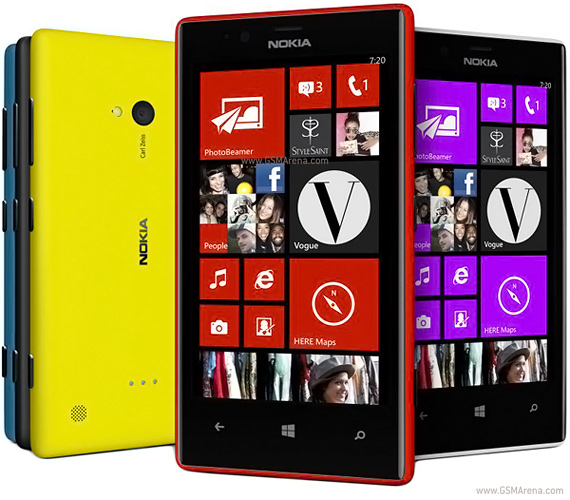
    Nokia Lumia 720

    Nokia has just announced their Lumia Device 720 and here are the specifications


    • 480x800 Pixel Resolution- 4.3 Inches 217 ppi
    • Internal 8GB expandable upto 64 GB
    • 6.7 MP autofocus LED Flash Camera
    • Secondary 1.3 MP
    • Dual Core 1GHz Processor


    BlackBerry Z10 Launched

    The much awaited BlackBerry Z10, with their new OS BBOS10 was launched in India for 43,500.

    Earlier in Grey markets the phone was selling at a whooping 70,000 onwards

    For more BB10 news check here


    Thursday, March 7, 2013

    Samsung & LG Collaborate

    As per some reports Samsung & LG are collaborating to make an OLED TV for the korean Govt.


    As per Yonhap, which provides a little background saying that the two electronics giants have had much of their attention consumed by OLED patent disputes over the last couple of years. This has led to concerns that innovation in this area is being stalled, something that could have potentially devastating consequences for Samsung and LG, whose OLED television designs were at one time considered to be light years ahead of anyone else’s.

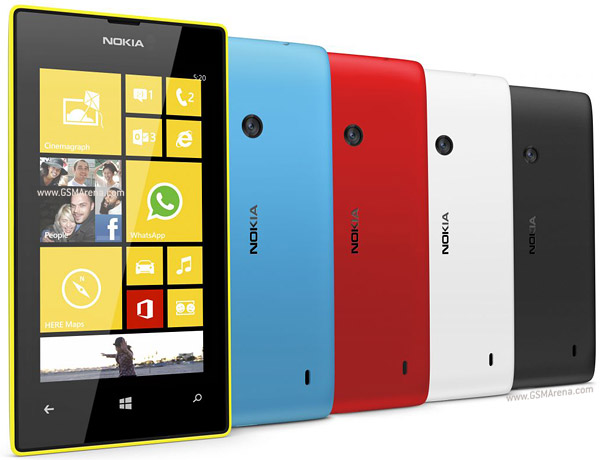
    Nokia Lumia 520

    Here are the specs for Nokia Lumia 520


    • 480 x 800 pixels, 4.0 inches (~233 ppi pixel density)

  • 8GB Internal Expandable upto 64GB
  • 512 MB RAM
  • 5 MP, 2592х1936 pixels, autofocus Camera
  • Dual-core 1 GHz Processor


  • Wednesday, March 6, 2013

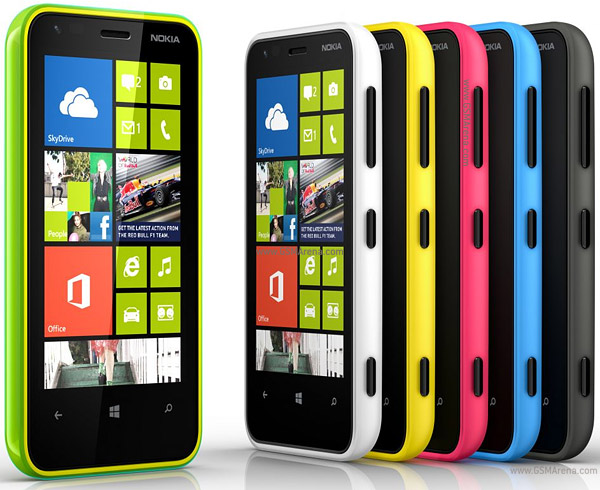
    Nokia Lumia 620

    Here are the specifications


    • 480 x 800 pixels, 3.8 inches (~246 ppi pixel density)
    • 8GB Internal 64 GB Expandable
    • 5 MP, 2592х1936 pixels, autofocus, LED flash
    • VGA Front Camera
    • Dual-core 1 GHz Krait Processor


    Blogger Templates