Social Icons

Showing posts with label Windows 8. Show all posts

Monday, April 21, 2014

VLC Lands on Windows 8

VLC has finally gone official for Windows tablets. The Windows RT version adheres to Microsoft's 'Modern' (earlier known as Metro) design language.
The open source software plays almost every popular audio and video file you throw at it. Apart from playing local content, it also supports video streaming.
According to the developer, VLC for Windows 8 is an experimental port of VLC media player for the Windows RT platform. So be prepared for as few rough edges. The company is also working on a Windows Phone version, which should be out "soon".


Monday, December 9, 2013

Microsoft Explains why they removed the Start Button on Windows 8

The start button on a Windows OS has been a fixed thing since the 1980s, but users got a shock when the saw no Start Button on Windows 8, but they got back the start button but not in the traditional sense.


Here's what Chaitanya Sareen of Microsoft had to say about all of this fiasco

With a host of samples collected from the Customer Experience Improvement Program, statistics painted an interesting picture that showed that the Start button usage was dwindling, representing a perfect time for Microsoft to explore other options that will allow them to "unlock a whole new set of scenarios". One of the other factors which led to this decision is the trending data that points to users opting to invoke applications and programs through the use of keyboard shortcuts, rather than wanting to take the time to navigate through the Start menu options and find what they want.

Tuesday, November 19, 2013

Top 10 Windows 8 Apps-Part 2

Here are my picks for Top 10 Windows 8 Apps


  • Cut the rope- one on the best apps on the mobile device now on your Win8 Device

  • YouCam- The best audio, video recording software, also best for your youtube videos
  • FreshPaint- Is painting your thing?? then freshpaint is your.......(sorry couldn't rhyme that one!!)
  • QuickNote- Write all you want

  • FotoRoom- PhotoEditing App


Top 10 Windows 8 Apps-Part 1

Here are my picks for Top 10 Windows 8 Apps


  • TuneinRadio- Online radio at its best

  • Xbox Smartglass-Xbox's best friend a second screen to your xbox
  • Comics- This app will help you download, read all your favourite comics
  • Evernote-the best writing app on the device

  • Adobe Reader Touch- A minimalistic app, at its best

Tuesday, June 11, 2013

Here is Windows 8.1

Windows 8.1 is just around the corner and here are some of its details


  • Ability to run photos as a slideshow on the lockscreen-both from hdd or cloud storage
  • Capture photos from lockscreen
  • More personalization for the start screen(modern UI)
  • Start Button (thankfully)


I will bring more info as soon as more is leaked


Tuesday, May 7, 2013

How to boot directly to Windows UI in Win8

Windows 8 had brought a new UI, the metro(or modern). This new UI was a boon for Touchscreen users, but a bane for the keyboard, mouse guys so now you can keep the windows UI with a little tinker


  • Download Win 8 Metro UI switcher from here
  • Install the program
  • Click on Disable Metro UI
  • Enjoy


Friday, March 1, 2013

How to Install Windows 8 From USB

Here's how you can install Win 8 From USB

1. Download This(Win7 USB DVD Downloader)

2. Download Win8 from Torrent

3.Locate the .iso file

4. Insert a 8 GB or more USB

5.Let the program install

6. Boot from usb

Friday, February 15, 2013

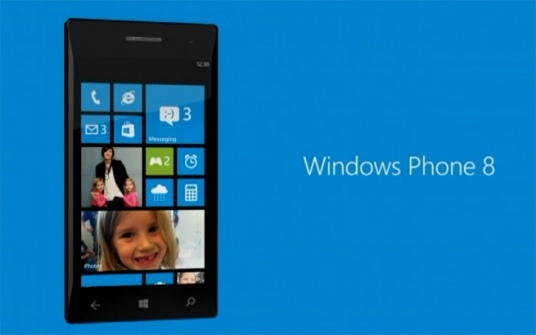
Microsoft Planning a Windows 8 Phone

According to a report Microsoft is planning to make a Windows 8 Mobile device that may be best in the market!!


Tuesday, November 13, 2012

New Features of Windows 8-Part 2

  • Multi-Monitor Support
  • Integration with SkyDrive
  • New File Manager
  • IE10:Made for touchscreen devices, flash player pre-installed
  • Task Manager: Shows CPU usage, CPU heat etc
  • File History: Lets you keep files saved in history

New Features of Windows 8-Part 1

  • Languages Support: Windows 8 now supports C++, C++/CX, C#, Visual Basic .NET, or HTML5 and JavaScript.
  • Standard Supports: It supports 1366x768 resolution screen with 16:9 Aspect Ratio, and NFC
  • Windows Store: The W8 now has a Windows Store for apps
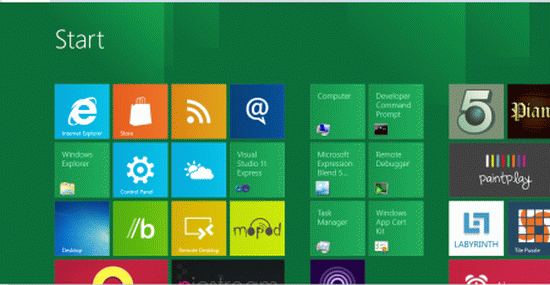
  • All new UI: The W8 has a new start screen a new UI called Metro
  • Windows To go: Windows To Go is a Windows 8 Enterprise feature that allows users to create a bootable USB Flash drive (usually called a Live USB) with Windows 8 in it, including the user's programs, settings, and files
  •  

Monday, November 12, 2012

Windows 8 Finally Launched

Windows 8 the much awaited OS this year was finally launched on 26-October 2012.
There are 4 versions of the OS

Windows 8
Windows 8 is the basic edition of Windows for the x86 and x86-64 architectures. This edition contains features aimed at the home market segment and provides all of the basic new Windows 8 features including the Start screen with semantic zoom, live tiles, Windows Store, Internet Explorer 10, connected standby, Microsoft account integration, the Windows desktop and more.
 
Windows 8 Pro
Windows 8 Pro is comparable to Windows 7 Professional and Ultimate and is targeted towards enthusiasts and business users; it includes all the features of Windows 8. Additional features include operating as a Remote Desktop server, the ability to participate in a Windows Server domain, Encrypting File System, Hyper-V, and Virtual Hard Disk Booting, Group Policy as well as BitLocker and BitLocker To Go. Windows Media Center functionality will be available only for Windows 8 Pro as a paid "add-on.
 
Windows 8 Enterprise
Windows 8 Enterprise provides all the features in Windows 8 Pro (except the ability to install the Windows Media Center add-on), with additional features to assist with IT organization (see table below) This edition is available to Software Assurance customers, as well as MSDN and Technet Professional subscribers, and was released on August 16, 2012
 
Windows RT
Windows RT will only be available pre-installed on ARM-based devices such as tablet PCs. It will include touch-optimized desktop versions of the basic set of Office 2013 applications to users—Microsoft Word, Excel, PowerPoint, and OneNote, and support device encryption capabilities. Several business-focused features such as Group Policy and domain support are not included.

List of Features Removed in Windows 8

  • The Start button has been removed, although it is still accessible as a hotspot in the lower left corner of the screen, via the Windows key, and on the charms menu
  • Aero Flip 3D has been removed. Win+Tab now activates an app switcher only for Metro-style apps.
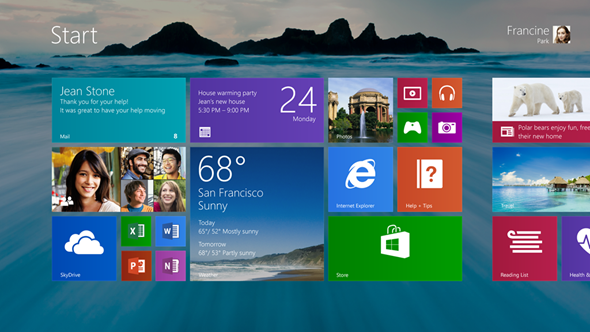
  • The Start menu has been removed in favour of a full screen interface called the Start screen
    • Start screen lacks the global "Recent Documents" menu.
    • Start screen lacks the automatically filling by usage tracking "Most Frequently Used" (MFU) programs list, each with its "Recent Documents" menu
  • The Aero Glass theme, which has been featured in Windows Vista and Windows 7 has been removed from Windows 8 in favour of a Metro-style theme
  • Windows Desktop Gadgets which has been featured in Windows Vista and Windows 7 has been removed from Windows 8.
  • The User Log on/Log off sounds have been removed. The startup sound remains but is disabled by default.

File Explorer

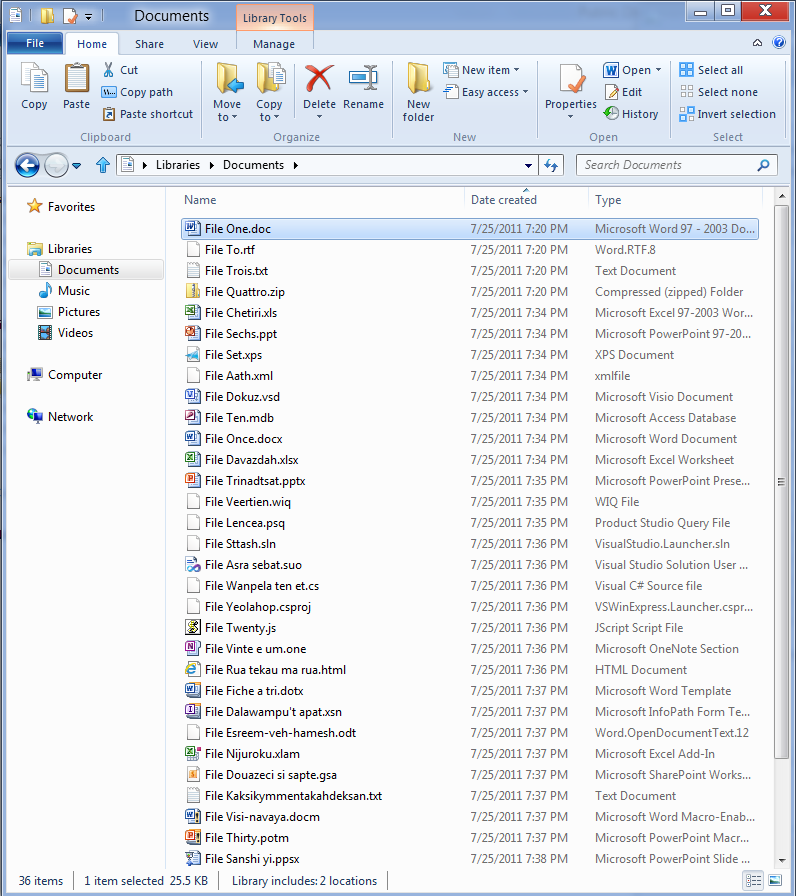
  • The command bar is no longer present, and has been replaced by a new Ribbon UI

Games

  • Games such as Chess Titans have been removed. However some of them are now available on the Windows Store.

Networking

  • For dial-up connection (DUN), some of the options under Redialing options such as "Redial attempts" and "Redial if line is dropped" is no longer available. Although dial-up using PSTN telephone line is becoming increasingly rare, this could affect users that still use DUN to connect to 2G/3G/3.5G mobile network and also DSL subscribers that use Windows' PPPoE dialer
  • The Manage wireless networks under Network and Sharing Center is no longer available, although a similar function is still available through netsh command (netsh wlan).
  • Similarly, creating an ad-hoc wireless connection ("Set up a new connection or network" > "Set up a wireless ad hoc") is no longer available through the GUI; users need to use the same netsh command or third-party utility such as Connectify.

Media features

  • Windows Media Center will no longer be included by default in any version of Windows 8, but will be available as an add-on for Windows 8 Pro.
  • Windows Media Player will no longer include codecs to play DVDs but DVDs will be playable if the Windows Media Center add-on is purchased
  • Windows Media Center cannot run on start up or on top of other windows because of “new Windows OS requirements and behaviors”
  • Windows DVD Maker has been removed.

Other

  • Backup and Restore has been renamed Windows 7 File Recovery in favor of the new feature called File History
  • The Blue Screen of Death no longer shows as much technical information about the error that caused the computer to stop
  • Windows CardSpace has been removed in favour of the new feature U-Prove.
  • The Parental Controls feature present in earlier versions of Windows has been removed and replaced by the Family Safety feature
  • Chkdsk only shows a percentage when running at start up.
  • ImageX has been deprecated and will be removed in favor of DISM in the future.

Saturday, November 3, 2012

How to Get back your Start Button on Windows 8 Back- Part 2

The people who just went and bought the Windows8 must have noticed the mission start button and here's how you can get it back

Another good way is downloading Pokki

Pokki brings back the Start Menu to Windows 8.

 It intigrates with most apps and gets you recent notifications


How to Get back your Start Button on Windows 8 Back- Part 1

The people who just went and bought the Windows8 must have noticed the mission start button and here's how you can get it back

  • Open Run(ctrl+r)
  • Type Regedit

  • Go  to HKEY_CURRENT_USER\Software\Microsoft\Windows\CurrentVersion\Explorer from the left sidebar.
  • Double click RPEnabled and change the value to 0


To go back change the value to 1 again

Thursday, September 27, 2012

HTC launching 2 Windows 8 Phone

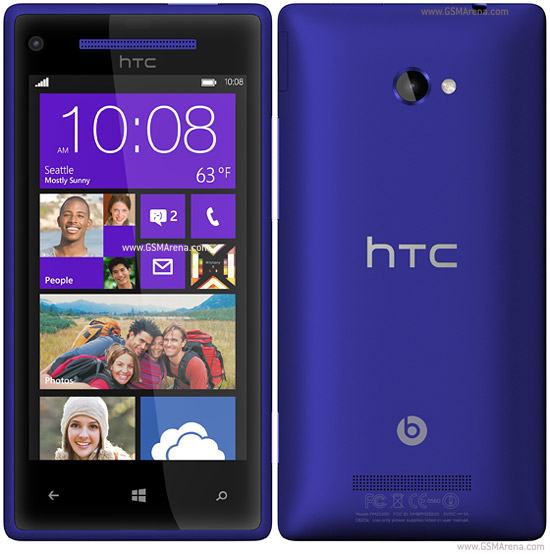
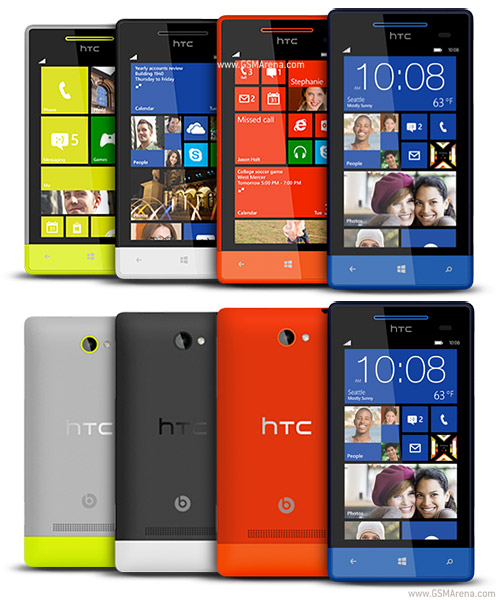
HTC showed 2 awsome Windows 8 based phones, which will be launched early November before the launch of the Lumia's (targeting Nokia??)

Here are the specs

8X
  • 720 x 1280 pixels, 4.3 inches Display
  • Beats Audio sound enhancement
  • 16 GB Internal 1GB RAM
  • 8MP Camera-1080p
  • 2MP front Camera
  • Dual Core 1.5 Ghz Processor
  • Expandable Upto 32 GB


8S

  • 480x800 Pixel Resolution 4.0 Inches Display
  • Beats Audio sound enhancement
  •  Expandable Upto 32 GB 
  • 4GB Internal 512 MB RAM
  • 5MP Camera
  • 720p Video Recording
  • Dual Core 1 GHz Processor


Blogger Templates