Thursday, February 28, 2013
Wednesday, February 27, 2013
Tuesday, February 26, 2013
4 Things you did not know about ICS
ICS or Ice Cream Sandwich is the 2nd most popular Android Version till date and here are 4 Things that you might not know about ICS
1.Multi-Tasking- Tap on the Multi-tasking button(if your phone came pre-loaded with ICS), or long press Home button till you get a list of running apps. Swipe to either left or right to close them!
2.Uninstalling Apps- To uninstall apps directly from the App Drawer, long press the app and you will notice on the top it says "Uninstall". Drag the app to it and it will be uninstalled
3.Night Friendly Browser- Do you want to surf the net at night without disturbing others?. For that open the inbuilt browser. Then go to settings, Accessibility, Inverted Rendering and you are done!
4. Labs Feature- As you might know Google labs is very unique for showing things that you might be able to use in the coming years, and guess what? the pre-installed browser comes inbuilt with labs feature
Monday, February 25, 2013
Ubuntu On Android-Part 3
Messaging and calls
Read and reply to incoming SMS messages from the desktop, using Ubuntu's message indicator. You can also make and receive calls via the desktop - and you'll be alerted to voicemails so you can manage them while you work.
Simple integrated settings
Alarm clock settings on the phone can be synchronised to alert you when working in the Ubuntu environment. You'll have one place to enter wifi passwords and one place to pair your bluetooth headset, then everything just works.
Photos
Manage and view photos stored on your smartphone using the Ubuntu Gallery application. Then edit them on the Ubuntu desktop and save them back to the phone. Create, edit and consume, all on one device.
Social networking
All your Android social network account credentials are synchronised seamlessly, using the Ubuntu social networking client to provide easy access to your online communities.
Read and reply to incoming SMS messages from the desktop, using Ubuntu's message indicator. You can also make and receive calls via the desktop - and you'll be alerted to voicemails so you can manage them while you work.
Simple integrated settings
Alarm clock settings on the phone can be synchronised to alert you when working in the Ubuntu environment. You'll have one place to enter wifi passwords and one place to pair your bluetooth headset, then everything just works.
Photos
Manage and view photos stored on your smartphone using the Ubuntu Gallery application. Then edit them on the Ubuntu desktop and save them back to the phone. Create, edit and consume, all on one device.
Social networking
All your Android social network account credentials are synchronised seamlessly, using the Ubuntu social networking client to provide easy access to your online communities.
Ubuntu On Android-Part 2
Features
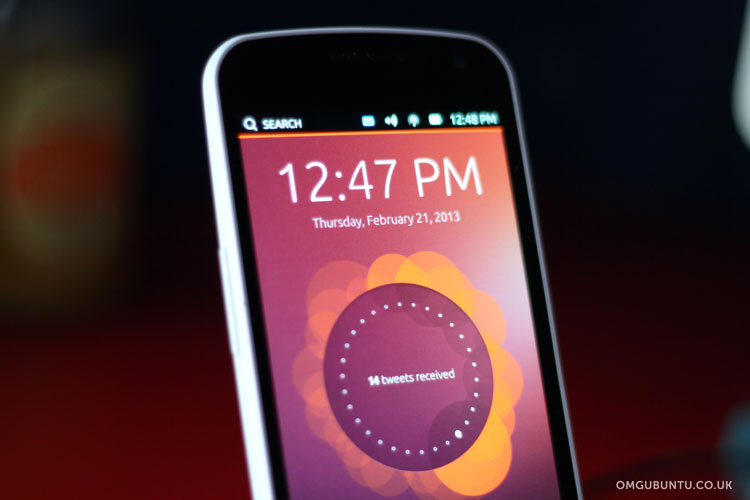
A complete Ubuntu desktop for docked Android phones
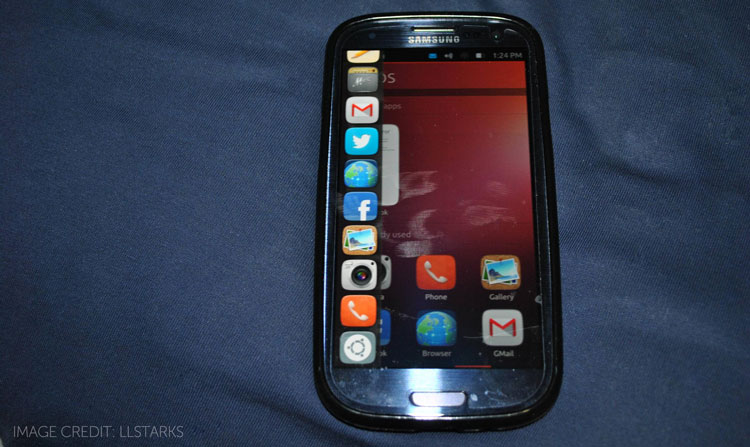
Ubuntu for Android provides a full desktop experience, including office software, web browsing, email and media applications, on Android phones docked to a screen and keyboard. Thanks to tight integration with the Android service layer, the transition between the two environments is seamless, making it easy to access the phone's services from the desktop when docked.
Secure full-featured web
Sit back and enjoy a full desktop browser for multi-tab, multi-window web productivity. Ubuntu supports both Chromium and Firefox, the world's fastest browsers, and is naturally resistant to web malware, which is why enterprises and governments are adopting Ubuntu on desktops. Surf on the move with the Android browser, then dock to continue your session on the desktop. You get the same web pages, the same bookmarks and the same browsing history, with all the real-estate of a desktop. Using web applications with a full keyboard and mouse is so much better than a tablet when you're at a desk, even in a hotel.
Unified contacts
Both Ubuntu and Android access the same mobile address book. So even when the phone is docked, you can view, edit, call, text or email a contact. You can even check their profiles on Facebook or Twitter.
A complete Ubuntu desktop for docked Android phones
Ubuntu for Android provides a full desktop experience, including office software, web browsing, email and media applications, on Android phones docked to a screen and keyboard. Thanks to tight integration with the Android service layer, the transition between the two environments is seamless, making it easy to access the phone's services from the desktop when docked.
Secure full-featured web
Sit back and enjoy a full desktop browser for multi-tab, multi-window web productivity. Ubuntu supports both Chromium and Firefox, the world's fastest browsers, and is naturally resistant to web malware, which is why enterprises and governments are adopting Ubuntu on desktops. Surf on the move with the Android browser, then dock to continue your session on the desktop. You get the same web pages, the same bookmarks and the same browsing history, with all the real-estate of a desktop. Using web applications with a full keyboard and mouse is so much better than a tablet when you're at a desk, even in a hotel.
Unified contacts
Both Ubuntu and Android access the same mobile address book. So even when the phone is docked, you can view, edit, call, text or email a contact. You can even check their profiles on Facebook or Twitter.
Friday, February 22, 2013
Ubuntu On Android-Part 1
What is Ubuntu?
Ubuntu (/ʊˈbʊntuː/ uu-buun-too)is a computer operating system based on the Debian Linux distribution and distributed as free and open source software, using its own desktop environment. It is named after the Southern African philosophy of ubuntu ("humanity towards others") or another translation would be: "the belief in a universal bond of sharing that connects all humanity". As of 2012, according to online surveys, Ubuntu is the most popular Linux distribution on desktop/laptop personal computers, and most Ubuntu coverage focuses on its use in that market. However, it is also popular on servers and forcloud computing.[citation needed] Development of Ubuntu is led by Canonical, Ltd.,a UK-based company owned by South African entrepreneur Mark Shuttleworth. Canonical generates revenue through the sale of technical support and services related to Ubuntu,[15] and since version 12.10, by displaying advertisements in Unity Dash, the default file manager in desktop Ubuntu. According to Canonical, the Ubuntu project is committed to the principles of free software development; people are encouraged to use free software, improve it, and distribute it.
What is Ubuntu For Android?
How would you like a PC that fits in your pocket? For the lowdown on Ubuntu for Android, in terms your grandma could understand,
Ubuntu (/ʊˈbʊntuː/ uu-buun-too)is a computer operating system based on the Debian Linux distribution and distributed as free and open source software, using its own desktop environment. It is named after the Southern African philosophy of ubuntu ("humanity towards others") or another translation would be: "the belief in a universal bond of sharing that connects all humanity". As of 2012, according to online surveys, Ubuntu is the most popular Linux distribution on desktop/laptop personal computers, and most Ubuntu coverage focuses on its use in that market. However, it is also popular on servers and forcloud computing.[citation needed] Development of Ubuntu is led by Canonical, Ltd.,a UK-based company owned by South African entrepreneur Mark Shuttleworth. Canonical generates revenue through the sale of technical support and services related to Ubuntu,[15] and since version 12.10, by displaying advertisements in Unity Dash, the default file manager in desktop Ubuntu. According to Canonical, the Ubuntu project is committed to the principles of free software development; people are encouraged to use free software, improve it, and distribute it.
What is Ubuntu For Android?
How would you like a PC that fits in your pocket? For the lowdown on Ubuntu for Android, in terms your grandma could understand,
Thursday, February 21, 2013
Wednesday, February 20, 2013
Galaxy S4 Camera Shots Leaked
Recently, Samsung Galaxy S4's Camera shots were leaked on the net and here are the pics
Click here for my S4 Predictions
Tuesday, February 19, 2013
Monday, February 18, 2013
Top 3 Best News Apps for Your Device
Being Updated in these times are very important for a person. So here are my top 5 Apps to keep you updated at all times
1.Flipboard- What do you get when you couple up news and awesome effects in an app? Answer- Flipboard
Available for Android, iOS Devices
1.Flipboard- What do you get when you couple up news and awesome effects in an app? Answer- Flipboard
Available for Android, iOS Devices
2.BBC News- From the best on TV to your mobile device
Available on both iOS& Android
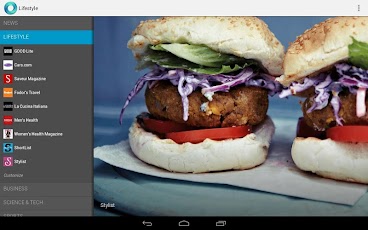
3. Google Currents- A Flipboard look alike
Available on Android Devices
Friday, February 15, 2013
Thursday, February 14, 2013
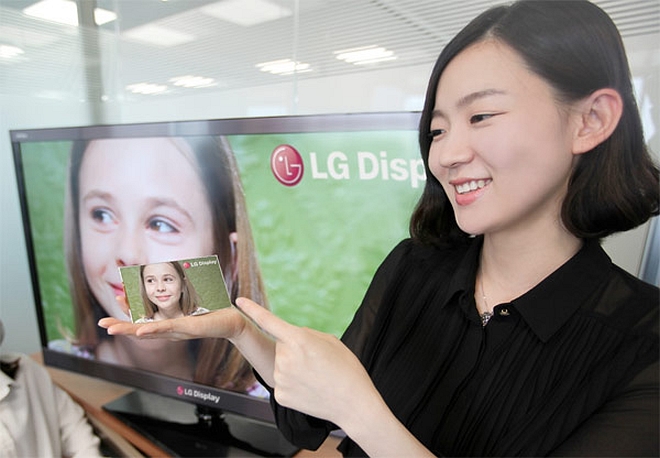
4 Alternatives to iPhone's Retina Displays
The Mobile device has changed a lot since inception, before it was used for just calls and making messages and now, it is used maybe more than you might use your computer itself!
Apple created its own market with the launch of the iPhone, and established itself again with the Retina Display in its phones. But what if you cannot afford an iPhone, or you find the iPhone too complicated?
Then you might want to take a look at these phones(for their screen)
The iPhone's Retina Display has 330 ppi(pixels per inch)
1.Nexus 4- This beauty has 320 ppi and is a lot better than the iPhone 5.
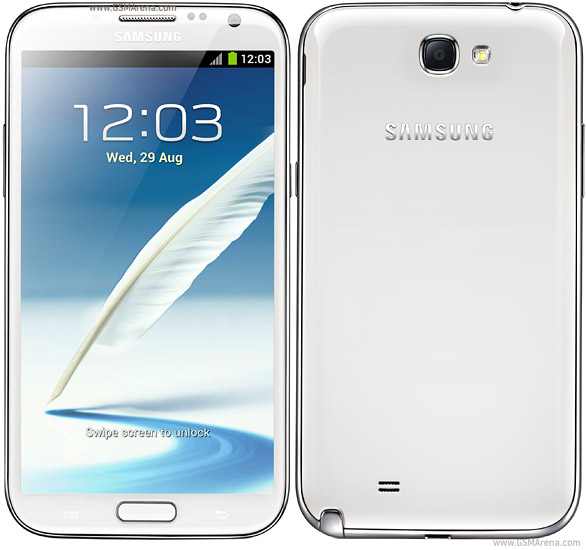
3.Samsung Galaxy Note 2-This one has 300 ppi
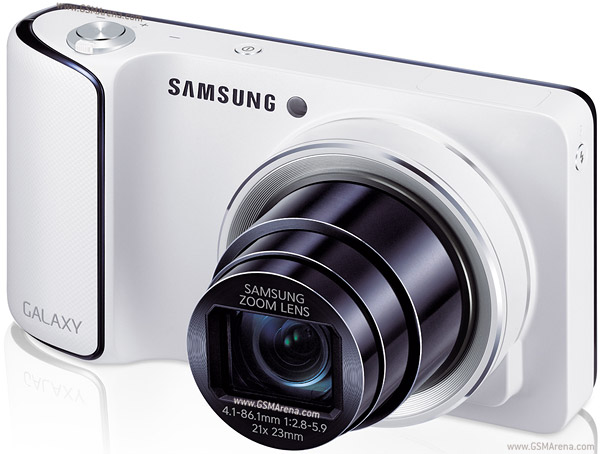
4.Samsung Galaxy Camera- This one has 310 ppi
Apple created its own market with the launch of the iPhone, and established itself again with the Retina Display in its phones. But what if you cannot afford an iPhone, or you find the iPhone too complicated?
Then you might want to take a look at these phones(for their screen)
The iPhone's Retina Display has 330 ppi(pixels per inch)
1.Nexus 4- This beauty has 320 ppi and is a lot better than the iPhone 5.
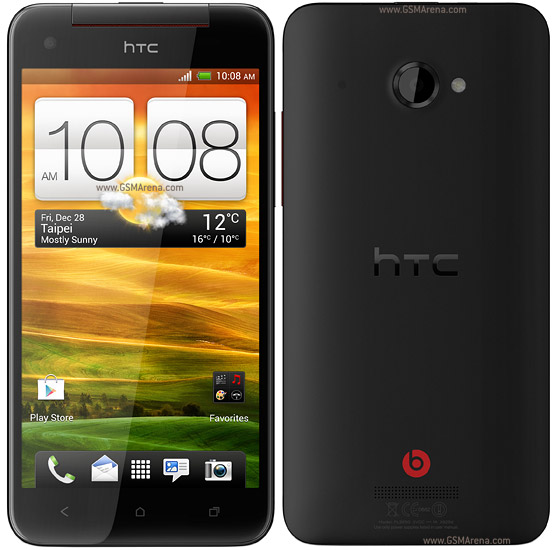
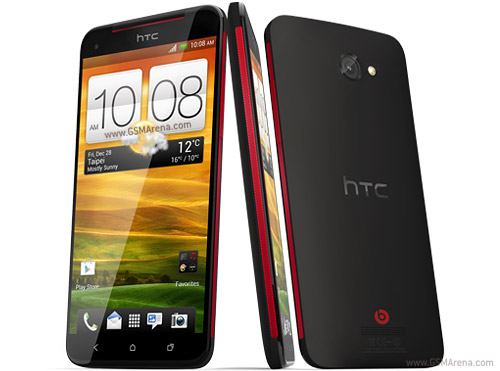
2.HTC Butterfly- This one has a 441(yes much better than iPhone)read all about it here
4.Samsung Galaxy Camera- This one has 310 ppi
Labels:
alternative
,
display
,
iphone
Wednesday, February 13, 2013
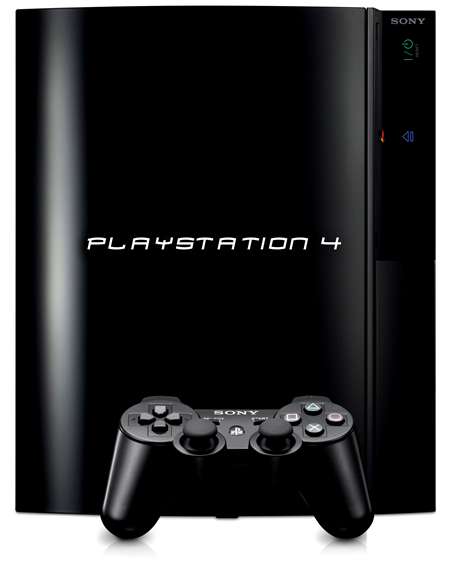
Sony To launch PS4
According to according to a press invite the PS4 might launch on the 20th Feb 2013.
They have also featured a video here it is
well your guess is as good as mine, but we'll see what happens
They have also featured a video here it is
Tuesday, February 12, 2013
BlackBerry OS10 Roundup
BlackBerry recently announced its BB10 OS and some phones here's what was announced
1.Name changed to Blackberry: RIM now is called BlackBerry
2.Launched Z10:
The Z10 is BB OS10's flagship and full touch device
The Z10 has
4.2" 1280x768 Screen
Qualcomm S4+ Dual Core 1.5 GHZ Processor
2 GB RAM
16 GB Internal expandable upto 64 GB
1800 MaH battery
3. Q10
The Canadian company also launched Q10 the Touch& Type device
The Q10 has
3.1" 720x720 Screen
Full QWERTY keypad without trackpad
Qualcomm S4+ Dual Core 1.5 GHZ Processor
2 GB RAM
1800 MaH battery
4.BB Messenger now does video chats
5.Blackberry Balance: Now you can create 2 different profiles inside one phone
Labels:
blackberry
,
OS 10
Apple applies for removable lenses
Apple according to a rumour has applied a patent for removable lenses in their upcoming devices.
Describing the technology the paper reads "It would be desirable to provide a structure for a compact device that allows the end user to reconfigure the optical arrangement of the device while retaining the benefits of assembling the device using a pre-assembled digital imaging subsystem."
Here's what the tech might be
Describing the technology the paper reads "It would be desirable to provide a structure for a compact device that allows the end user to reconfigure the optical arrangement of the device while retaining the benefits of assembling the device using a pre-assembled digital imaging subsystem."
Here's what the tech might be
Monday, February 11, 2013
7 Upcoming Games in Feb 2013- Part 3
In Feb 2013 there will be an awesome game launches
5.Metal Gear Rising: Revengeance
6.Crysis 3
7.Rayman Legends
5.Metal Gear Rising: Revengeance
6.Crysis 3
7.Rayman Legends
7 Upcoming Games in Feb 2013- Part 2
In Feb 2013 there will be an awesome game launches
3. SlyCooper
4.Aliens: Colonial Marines
3. SlyCooper
4.Aliens: Colonial Marines
Thursday, February 7, 2013
7 Upcoming Games in Feb 2013- Part 1
In Feb 2013 there will be an awesome game launches
1. Hitman Trilogy: Hitman will see a master revamp of its older games
2.Dead Space 3:
1. Hitman Trilogy: Hitman will see a master revamp of its older games
Wednesday, February 6, 2013
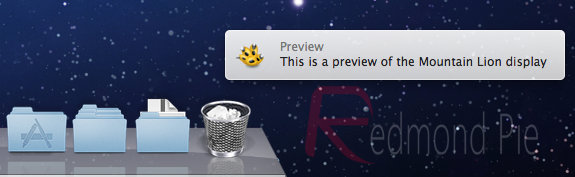
How To Get ML like notifications in older OSX
Here's how you can get Mountain lion like notifications in older OSes
Download Growl from here
Install it
Go to preferences--> Display-->Style--> Mountain Lion
Download Growl from here
Install it
Go to preferences--> Display-->Style--> Mountain Lion
Tuesday, February 5, 2013
Prediction For Samsung Galaxy S4
Less than 2 weeks to go for MWC 2013, and in there the Samsung Galaxy S4 will be launched here are my predictions for it
SCREEN: The S3 had a AMOLED+ with a screen size of 4.8 inches. The S4 might go upto 5.5 or more, and is also speculated that it might have a bendable screen, though doubtful
SPECIFICATIONS: The korean giant showcased its 8 core processor so maybe the S4 will have an 8 Core processor
BODY The S4 can support a even slimmer design
OS The S4 might have the new android OS Keylime Pie
The S4 might have wireless charging, wireless connection to your HD TV
Labels:
galaxy
,
predictions
,
S4
,
samsung
Monday, February 4, 2013
The Worst Of CES 2013-Part 3
These are my top worst products of CES 2013
- LG's BIOS mode- LG while showing off its 4K TV got a BIOS mode in 4K resolution
Subscribe to:
Posts
(
Atom
)