Social Icons

Showing posts with label Fun. Show all posts

Wednesday, March 13, 2013

A 3D Pen that makes Doodles 3D

3D printing is a revolution in technological world. We have witnessed various types of 3D printers but what we are going to discuss today is really different and astounding. A 3D printing pen named 3Doodler. It’s a magical pen that can create wondrous objects in air, literally. 3Doodler is touted to be the world’s first and only 3D Printing Pen. Working of the pen seems just like a magic, a magic to draw or write anything in air.

The minute handheld 3D pen has been designed by WobbleWorks and has been launched on Kickstarter lately. The most attractive feature of the printing pen is its reasonable price of $75 as compared to its competitor device MakerBot Replicator priced at $2000. The only thing that you have to keep in mind is safety of kids when this printing pen is around. This is because the temperature of its metal tip goes up to 270 degrees Celsius and can easily cause burns.

The 3Doodler printing pen, other than drawing in air can also draw on any kind of surface like paper, wood, glass or cement. You won’t need any computer program or software to use it. Plugging it into a socket will do it all. ABS plastic is used as ‘ink’ that is also used by most 3D printers in the market.


Cool, isn't it???

Wednesday, October 31, 2012

Fun with VLC Media Player

  • Open VLC
  • Press CTRL+N
  • Type screen://
  • Enjoy

Sunday, August 19, 2012

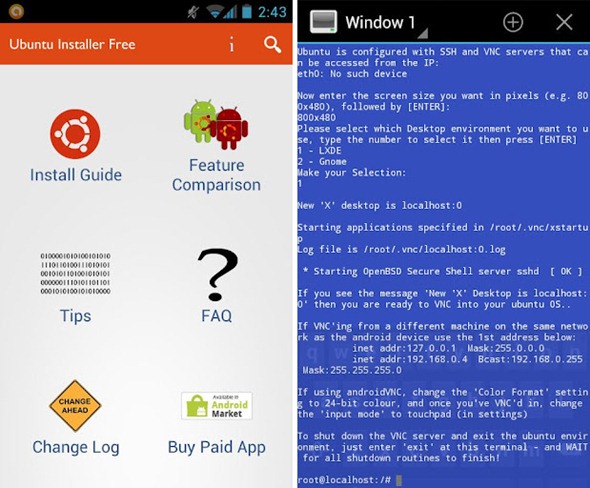
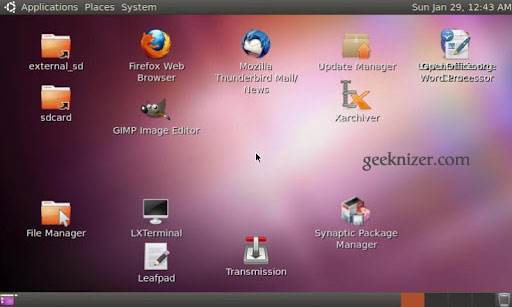
How To install Ubuntu inside your Android phone

No, this is not a theme post, this trick actually allows you to install Ubuntu inside your android phone.

Android hackers have tried to install Windows 98, 95, Xp on their phones, this installs the best flavour of the  linux platform Ubuntu

Although remember, if any thing happens to your phone, I shall not be taken responsible for it.!!!!

Requirements
  • An Android Phone
  • A rooted Android Phone
  • 1GHZ processor (recommended)
  • Android 2.0 or higher
  • Most stock ROMS will work (No guarantee for custom ROMS)
  • SD card with at least 4GB of free space
  • Data connection on your device

 Features List
  • Ability to install a full operating system on your phone 
  • Unity 2d (lightweight gnome)
  • Working update manager
  • Working software center
  • Open Office
  • Firefox
  • Working BitTorrent app
  • 756MB-1.3 GB free space in virtual drive after install 
  • Ability to access files on your SD card from Ubuntu
  • Ability to have a full Ubuntu desktop side by side with Android
This app provides the full instructions on how to install Ubuntu. There is large version of the installer that lets you install apps like firefox, etc(1.5 GB of download and 3.5 GB of installed)

LINK TO THE APP(paid)


Saturday, July 21, 2012

How to make your Desktop icons unclickable

This is actually a trick i learnt when i was small

1.Make a screenshot of your current desktop by pressing "PrintScreen" button
2.Save in paint as a JPG
3.Right click the desktop> View>Uncheck Show desktop icons
4.Put the screen shot as your wallpaper
5.Fool your friends


Blogger Templates