Social Icons

Friday, November 30, 2012

Cydia For Your Mac

If you like to customize or install apps to your mac which are not available on the iOS store then, you're gonna love this!!

Behold the Hackstore, the cydia for the Mac.

The Hackstore lets you install apps that are not available in the iOS store


Here's the link to the website of the creator

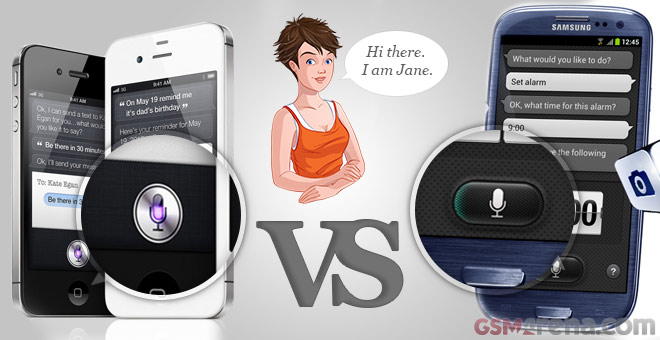
SVoice V/s Siri

Here's how Samsung's SVoics Stacks against Apple's Siri


Video courtesy TechnoBuffalo


Thursday, November 29, 2012

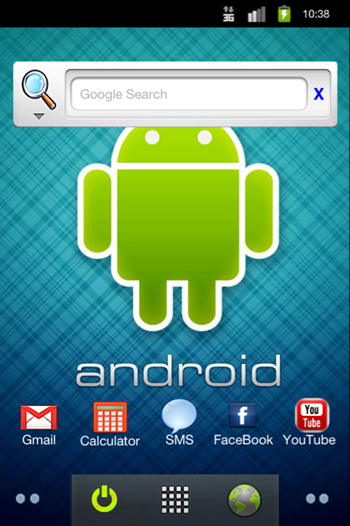
Experience Android on iPhone

iPhone users who wanted to experience the Android UI, can do that now with the help of a Cydia tweak/App called "OS Faker"

Please note that this is not a full fledged OS, but just gives you a hint of the OS

You must have a Jailbroken iOS Device to use this

  1. Add the Repo "http://cydia.myrepospace.com/Polarbear"
  2. Install OS Faker
  3. Enjoy


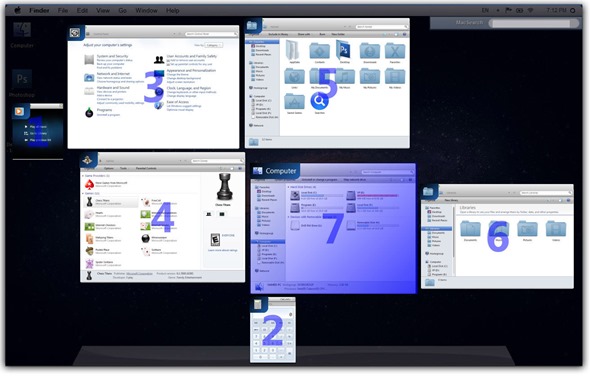
How to make Windows Look like Mountain Lion

This transformation pack converts your Windows to make it look like Mountain Lion


Download Link

Windows 8
Windows 7

Wednesday, November 28, 2012

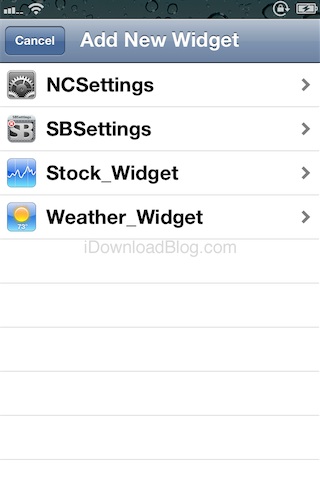
Dashboard X-iOS App

Dashboard X bring a lot of animated and live widgets to your iDevice and makes it look pure awsome!!!


App Review Score- 5/5

How to mirror your Pc/Mac screen to your Apple TV

Did you ever want to see your Pc/Mac screen on your TV wirelessly with the help of Apple TV

Then download AirParrot

Download Link +Help Here


Tuesday, November 27, 2012

Best Apps for Rooted Androids Part1


1). Titanium Backup

You can backup, restore, freeze (with Pro) your apps + data + Market links. This includes all protected apps & system apps, plus external data on your SD card. You can do 0-click batch & scheduled backups. Backups will operate without closing any apps (with Pro). You can move any app (or app data) to/from the SD card. You can browse any app's data and even query the Market to see detailed information about the app.-

2). AdFree

AdFree removes most ads in the browser and other apps. It does this by nullifying requests to known host names in the system hosts file.

3). Battery Calibration

Calibrate your battery when you think it's miscalibrated.Calibration needs to be done after flashing a new ROM, but you can calibrate any time you think your battery is miscalibrated. This program does it by removing the batterystats.bin system file. The OS generates a new clean batterystats file soon, thus any fake information from the previous ROM is removed. It's suggested, but not necessary, to let the phone fully discharge after calibration, then charged to 100% without break.
The app shows your actual battery status, and only allows you to start the calibration (i.e. removes the file) when it's fully charged, unless you force earlier calibration.
The voltage meter can be useful too. Full charge is around 4200mV.
There is an option to beep when 100% is reached so you don't have to closley follow the changes.

4). Wireless Tether for Root Users

Clients (your laptop for example) can connect via wifi or bluetooth and get access to the internet using the mobile connection (4G, 3G, 2G) or (in case you are using bluetooth) the wifi connection which is established by the handset.

5). WifiKill

Well, with this app you can disable internet connection for a device on the same network. So if someone (anyone) is abusing the internet wasting precious bandwidth for a Justin Bieber videoclips you could just kill their connection and stay happy with a full bandwidth just for yourself.

6). Linda File Manager

With a relatively simple to use interface it allows you to manage your gallery, wallpapers, applications, SD Card, and even the phones core files! A great alternative to Root Explorer!

8). Smartbench 2012

With Quadrant Standard Edition beginning to become inaccurate and obsolete from a lack of updates I began on a hunt for a more updated and accurate alternative. Smartbench 2012 is a multi-core friendly benchmark application that measures the overall performance of your smartphone. It reports both Productivity and Games Index to suit both productivity users and 3D gaming users.

9). AnTuTu Benchmark

Another great alternative to Quadrant Standard Edition. AnTuTu can run a full test of a key project, through the "Memory Performance","CPU Integer Performance","CPU Floating point Performance","2D 3D Graphics Performance","SD card reading/writing speed","Database IO" performance testing on the mobile phone Performance of the hardware to make score.

10). Neocore
:
Neocore is an OpenGL-ES 1.1 graphics performance benchmark for Android devices. It shows off some of the techniques that are possible on accelerated platforms such as 1-pass light maps and bump mapping.

Best Apps for Rooted Androids Part2

11). Android Terminal Emulator

This application lets you run Linux command line utilities on your Android phone. It is mostly useful for computer programmers. It might also be useful for people who want to explore the Linux internals of their Android phone.

12). ROM Manager

ROM Manager is a must have app for any Android root user.
* Flash your recovery to the latest and greatest ClockworkMod recovery.
* Manage your ROMs via a handy UI.
* Organize and perform backups and restores from within Android!
* Install ROMs from your SD card.
* Install your favorite ROMs over the air!-

13). SetCPU

SetCPU is a CPU speed tweaking application for Android. More specifically, it allows control of certain aspects of the Linux cpufreq driver, allowing for overclocking, underclocking, or tweaking speeds and settings on many Android devices.

14). Voodoo Control

(For Galaxy S, Nexus S phones, Galaxy Tab and Asus Transformer running custom kernels implementing Voodoo patches)
- improve sound quality
- fix audio issues present in Samsung kernels
- unleash the powerful hi-fi headphone amplifier included in your phone and audiophile-quality DAC.

15). ShootMe

Take screenshot's of you phone that will be saved to your SD card. Very helpful whether you're just showing off your stylish home screen, showing off your quadrant score, or trying to get help with a visual bug/issue you're having.


16). DiskUsage

DiskUsage provides a way to find files and directories on storage card which consume a lot of space. It displays a diagram with directories/subdirectories proportional to their size.

17). CatLog

"CatLog is an ADB logcat that works directly on your phone without plugging into PC. Handy for non-devs to get a better look inside sdk so that the devs can know what is really going on, cause we don't always explain ourselves the best." -Woodrube

18). CacheCleaner NG

CacheCleaner allows you to remove all the cache files from the internal memory and (optionally) from the SD card.
It runs either on-demand, or at scheduled times. The list of cleaned applications can be selected, for example to prevent Google Maps' cached maps from being removed for offline use.

19). LBE Privacy Guard

With the state-of-the-art API interception technology, LBE Privacy Guard provides great enhancement to Android permission system, now the first time you are able to:
- Protect your privacy by controlling the permission of each application to access your sensitive data.
- Block malicious operation from Mal-wares and Trojans.
- Block unwanted network traffic if you don’t have a unlimited data plan.
- Find out which application is trying to steal your privacy by checking the security log.
- And even more...

20). Screencast Video Recorder FREE

Screencast captures your phone screen at high frame rates into a high quality MPEG4 video. It can also take snapshots of your screen and save it as a bmp file. This app is a demo and can only record up to 20 sec of video. To unlock this limitation you'll have to purchase the full version.

Monday, November 26, 2012

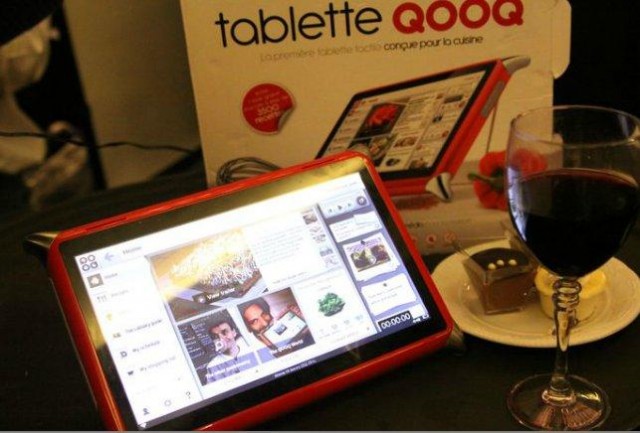
QQQQ Tablet

I have to admit this is a very weird name for a tablet but, its gr8 for the kitchen see for yourself

Specs

  • A custom Linux OS-called recipe packed
  • 10.1" screen
  • Dual Core 1 GHz Processor
  • 8GB of memory
  • Wifi
  • Over 1000 pre-installed recipes 


Android Key Lime Pie Soon To Launch

Google has recently launched a phone with LG called the Nexus 4, and the news for the new Nexus is already making the rounds on the internet.

The next Nexus will be made by Sony and will feature Key Lime Pie, the next version of Android. The phone is code-named "LT30i"


Monday, November 19, 2012

Windows Phone on iOS

If you want to make your iDevice look like the Windows UI then you can download Metroon from Cydia for Dreamboard

The theme includes a Windows Phone-like lock screen complete with notifications, volume controls, and a swipe up to unlock feature. Once Metroon is activated it works in a similar way to Microsoft's Windows 8 Start Screen, providing a launcher for apps with live tiles providing information on apps at a glance. All iOS apps can be pinned to the Metroon Start Screen and there's even a Charms bar that appears when you swipe from the right-hand side of an iPhone or iPod Touch. A desktop tile brings you to the familiar iOS home screen and the Charms bar is once again accessible to bring you back into the Metro interface, almost identical to Windows 8's desktop mode.

Friday, November 16, 2012

Play PSP Games on your Android

Who doesn’t like video game emulators? Considering how powerful our computers and mobile phones have become, emulators can often run on them nearly as well as the original devices.
We have featured various game emulators here in the past, and the latest one we’re bringing you today is PPSSPP. The app is a free and open source emulator of Sony’s popular PSP (PlayStation Portable) handheld gaming console for Android devices. Before we get into more details, here is a video of PPSSPP in action:


For more info see this

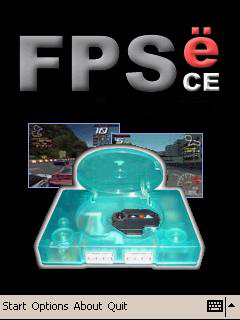
Play PS1 Games on your Windows Mobile

Attention Windows Mobile users! You’ve asked for games and now you have them. Introducing the First PlayStation Emulator for Windows CE (FPSEce), this free emulator allows you to play your old PlayStation 1 (PS1) games on your mobile device after grabbing the images from your PS1 disks and dropping it onto your storage card.
The emulator has been in development for quite some time but it is not popular because of the requirements for a powerful processor. These days it is easier to obtain such a device like the HTC HD2 with a 1 Ghz processor. Fortunately, there is a list of slower devices which some games are playable and can be found on the FPSECE website.
Features:
  • Customizable transparent on-screen controller
  • Multitouch for the HTC HD2
  • Plethora of supported games
  • Much more!
In order to play your old PS1 games four pieces of software are needed as seen below:
  • FPSEce (which you can download for free)
  • PocketISO  - to compress your images (if needed)
  • An image of a PlayStation game you own
  • PlayStation-BIOS for use with FPSEce.
For more info see this

Thursday, November 15, 2012

App Review:Smart Launcher-Android

Smart Launcher is an innovative launcher characterized by a minimalist design, low memory usage and an user-friendly UI that let you start any application with a few taps.
It is currently the only launcher on the store to features automatic cataloging of installed apps!
This is the first version. The project is developed by only me, so if you have any idea about how to make Smart Launcher better or you have some mockup to show me, contact me by email.
If you like this app consider to buy the PRO version for more features and to support the project!
Features:
- Main screen with Quick Start
- Drawer organized by categories
- Ready to use without special configurations.
- Support for Live Wallpaper and screens of different sizes.
- Support of set of icons for Launcher Pro and ADW Launcher
- Widget support (PRO version only)

App Review:Catch Notes-Android

Catch: notepad, checklists, voice memos, reminders and more!Catch Notes is a free note taking app designed to make sure you never miss an idea. It lets you capture ideas and discoveries across all your devices and when you're ready, turn your ideas into action with friends and colleagues using simple, mobile collaboration.

App Score:3/5

App Link

Wednesday, November 14, 2012

100 Must install Apps on Your Android Phone-Health

Android 4.2

As per some industry reports Android 4.2 is around the corner, here are some of the features that might be included

  • Multi-User Support: A tablet or a phone with many users, and each one has his/ her own settings
  • Share Screen to Wireless Displays
  • HTC Sense like photo album displays when its locked
  •  NFC Sharing
  •  Pre- installed Google Now
  • "Photo Sphere"- As per google "Up, down and all around you, it’s like no camera you’ve ever seen. With Android 4.2, snap pictures in every direction that come together into incredible, immersive photo spheres that put you right inside the scene. View your photo spheres right on your phone, share them on Google+ with your friends and family, or even add them to Google Maps for the world to see. "
  • Gesture Keyboard-Like you see on swype
 

Tuesday, November 13, 2012

New Features of Windows 8-Part 2

  • Multi-Monitor Support
  • Integration with SkyDrive
  • New File Manager
  • IE10:Made for touchscreen devices, flash player pre-installed
  • Task Manager: Shows CPU usage, CPU heat etc
  • File History: Lets you keep files saved in history

New Features of Windows 8-Part 1

  • Languages Support: Windows 8 now supports C++, C++/CX, C#, Visual Basic .NET, or HTML5 and JavaScript.
  • Standard Supports: It supports 1366x768 resolution screen with 16:9 Aspect Ratio, and NFC
  • Windows Store: The W8 now has a Windows Store for apps
  • All new UI: The W8 has a new start screen a new UI called Metro
  • Windows To go: Windows To Go is a Windows 8 Enterprise feature that allows users to create a bootable USB Flash drive (usually called a Live USB) with Windows 8 in it, including the user's programs, settings, and files
  •  

Monday, November 12, 2012

Windows 8 Finally Launched

Windows 8 the much awaited OS this year was finally launched on 26-October 2012.
There are 4 versions of the OS

Windows 8
Windows 8 is the basic edition of Windows for the x86 and x86-64 architectures. This edition contains features aimed at the home market segment and provides all of the basic new Windows 8 features including the Start screen with semantic zoom, live tiles, Windows Store, Internet Explorer 10, connected standby, Microsoft account integration, the Windows desktop and more.
 
Windows 8 Pro
Windows 8 Pro is comparable to Windows 7 Professional and Ultimate and is targeted towards enthusiasts and business users; it includes all the features of Windows 8. Additional features include operating as a Remote Desktop server, the ability to participate in a Windows Server domain, Encrypting File System, Hyper-V, and Virtual Hard Disk Booting, Group Policy as well as BitLocker and BitLocker To Go. Windows Media Center functionality will be available only for Windows 8 Pro as a paid "add-on.
 
Windows 8 Enterprise
Windows 8 Enterprise provides all the features in Windows 8 Pro (except the ability to install the Windows Media Center add-on), with additional features to assist with IT organization (see table below) This edition is available to Software Assurance customers, as well as MSDN and Technet Professional subscribers, and was released on August 16, 2012
 
Windows RT
Windows RT will only be available pre-installed on ARM-based devices such as tablet PCs. It will include touch-optimized desktop versions of the basic set of Office 2013 applications to users—Microsoft Word, Excel, PowerPoint, and OneNote, and support device encryption capabilities. Several business-focused features such as Group Policy and domain support are not included.

List of Features Removed in Windows 8

  • The Start button has been removed, although it is still accessible as a hotspot in the lower left corner of the screen, via the Windows key, and on the charms menu
  • Aero Flip 3D has been removed. Win+Tab now activates an app switcher only for Metro-style apps.
  • The Start menu has been removed in favour of a full screen interface called the Start screen
    • Start screen lacks the global "Recent Documents" menu.
    • Start screen lacks the automatically filling by usage tracking "Most Frequently Used" (MFU) programs list, each with its "Recent Documents" menu
  • The Aero Glass theme, which has been featured in Windows Vista and Windows 7 has been removed from Windows 8 in favour of a Metro-style theme
  • Windows Desktop Gadgets which has been featured in Windows Vista and Windows 7 has been removed from Windows 8.
  • The User Log on/Log off sounds have been removed. The startup sound remains but is disabled by default.

File Explorer

  • The command bar is no longer present, and has been replaced by a new Ribbon UI

Games

  • Games such as Chess Titans have been removed. However some of them are now available on the Windows Store.

Networking

  • For dial-up connection (DUN), some of the options under Redialing options such as "Redial attempts" and "Redial if line is dropped" is no longer available. Although dial-up using PSTN telephone line is becoming increasingly rare, this could affect users that still use DUN to connect to 2G/3G/3.5G mobile network and also DSL subscribers that use Windows' PPPoE dialer
  • The Manage wireless networks under Network and Sharing Center is no longer available, although a similar function is still available through netsh command (netsh wlan).
  • Similarly, creating an ad-hoc wireless connection ("Set up a new connection or network" > "Set up a wireless ad hoc") is no longer available through the GUI; users need to use the same netsh command or third-party utility such as Connectify.

Media features

  • Windows Media Center will no longer be included by default in any version of Windows 8, but will be available as an add-on for Windows 8 Pro.
  • Windows Media Player will no longer include codecs to play DVDs but DVDs will be playable if the Windows Media Center add-on is purchased
  • Windows Media Center cannot run on start up or on top of other windows because of “new Windows OS requirements and behaviors”
  • Windows DVD Maker has been removed.

Other

  • Backup and Restore has been renamed Windows 7 File Recovery in favor of the new feature called File History
  • The Blue Screen of Death no longer shows as much technical information about the error that caused the computer to stop
  • Windows CardSpace has been removed in favour of the new feature U-Prove.
  • The Parental Controls feature present in earlier versions of Windows has been removed and replaced by the Family Safety feature
  • Chkdsk only shows a percentage when running at start up.
  • ImageX has been deprecated and will be removed in favor of DISM in the future.

Thursday, November 8, 2012

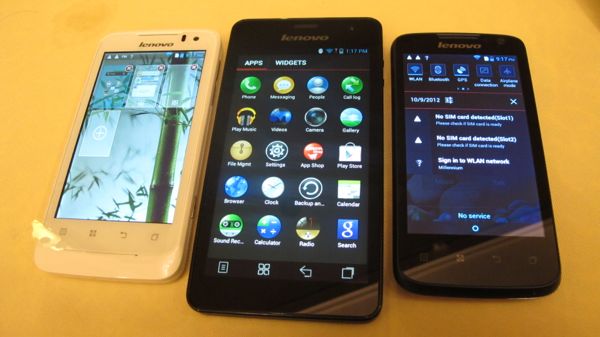
Lenovo Launches K860

Lenovo launched K860 recently and here are the specifications

  • 1.4 Ghz Quad Core Exynos Processor
  • 1 GB RAM
  • Mali- 400 MB GPU
  • 5 Inch IPS Display-1280x720 resolution-294 ppi -Gorilla Display
  • 8 MP camera- Autofocus-LED Flash-
  • 2 MP Front Camera- HD Video recording
  • 3G, Bluetooth 4.0, A-GPS, FM Radio,
  • Price 28,499

Lenovo Launches S880

  • Dual Speakers
  • Dual SIM
  • Dual Camera(Front & Back)
  • 5 Inch- 800x480 Pixel Resolution
  • 1 GHz Processor
  • PowerVR SGX531 GPU
  • 512 RAM
  • 4 GB Internal Storage
  • Expandable upto 32 GB
  • 5 MP Back-0.3 MP Front Camera
  • 3G, Wifi, Bluetooth 3.0, 
  • Price- 19,000

Tuesday, November 6, 2012

Lenovo Launches P700i

  • Dual Camera(Front & Back)
  • 4 Inch- 800x480 Pixel Resolution
  • 1 GHz Dual Core Processor
  • PowerVR SGX531 GPU
  • 512 RAM
  • 4 GB Internal Storage
  • Expandable upto 32 GB
  • 5 MP Back-0.3 MP Front Camera
  • 3G, Wifi, Bluetooth 3.0, 
  • Price- 12,500

Lenovo Launches S560

  • Dual Speakers
  • Dual SIM
  • Dual Camera(Front & Back)
  • 4 Inch- 800x480 Pixel Resolution
  • 1 GHz Dual Core Processor
  • PowerVR SGX531 GPU
  • 512 RAM
  • 4 GB Internal Storage
  • Expandable upto 32 GB
  • 5 MP Back-0.3 MP Front Camera
  • 3G, Wifi, Bluetooth 3.0, 
  • Price- 15,000

Monday, November 5, 2012

Lenovo Launches A60

  • Dual Speakers
  • Dual SIM
  • Dual Camera(Front & Back)
  • 3.5 Inch- 480x320Pixel Resolution
  • 1 GHz Processor
  • PowerVR SGX531 GPU
  • 256 RAM
  • 4 GB Internal Storage
  • Expandable upto 32 GB
  • 2 MP Back
  • 3G, Wifi, Bluetooth 3.0, 
  • Price- 6,500

Google Translate for Animals

Google has now come up with Google Translate for animals here is a teaser video


Saturday, November 3, 2012

How to Get back your Start Button on Windows 8 Back- Part 2

The people who just went and bought the Windows8 must have noticed the mission start button and here's how you can get it back

Another good way is downloading Pokki

Pokki brings back the Start Menu to Windows 8.

 It intigrates with most apps and gets you recent notifications


How to Get back your Start Button on Windows 8 Back- Part 1

The people who just went and bought the Windows8 must have noticed the mission start button and here's how you can get it back

  • Open Run(ctrl+r)
  • Type Regedit

  • Go  to HKEY_CURRENT_USER\Software\Microsoft\Windows\CurrentVersion\Explorer from the left sidebar.
  • Double click RPEnabled and change the value to 0


To go back change the value to 1 again

Friday, November 2, 2012

iPad Mini Launched

Apple introduced the new member in their iPad family the iPad Mini


  • 7.9 Inch with 1027x768 resolution
  • 7.2 mm thin
  • 5-megapixel camera
  • A5 CPU
  • 10 hours of Battery
  • Same as iPad 2
  • Pre-orders for the $329, 16GB WiFi-only model begin on Friday (October 26th) and will begin shipping on November 2nd. The cellular-equipped models will begin shipping a few weeks afterward on AT&T, Verizon and Sprint, with the 16GB base model costing $459, running all the way to $659 for the 64GB unit.
  •  

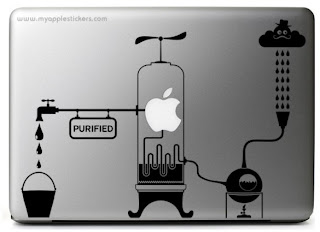
Amazing Stickers for Mac

Here are some of the awsome stickers I found for mac

amazing removable stickers for mac - creative ideas 


amazing removable stickers for mac - creative ideas

amazing removable stickers for mac - creative ideas

amazing removable stickers for mac - creative ideas

amazing removable stickers for mac - creative ideas

amazing removable stickers for mac - creative ideas

amazing removable stickers for mac - creative ideas

amazing removable stickers for mac - creative ideas


Blogger Templates