Social Icons

Showing posts with label Download. Show all posts

Tuesday, October 14, 2014

How To download from Torrents

A Torrent is a file that contains a URL of a large file on the P2P network and you can download anything ranging from Games, Movies, Softwares, OS'es from it


P.S. You must remember that most of the files on Torrents are illegal and the owner of this blog, nor this blog supports downloading these files

  1. Download a Torrent client- There are a lot of Torrent client softwares but the best is uTorrent
  2. Install the software
  3. Go to a torrent finder website- There a lot of Torrent finder websites but the one of the best is this
  4. Finding a suitable torrent file- The file you are looking for should have a lot of peers(people who are downloading now) and leechers(who are uploading the file now)
  5. Download the .torrent file and open it via the software
  6. Let it download
  7. Open and Enjoy!!

Tuesday, November 5, 2013

How to Download .apk's for Free

Everyone loves paid things for free and here's how you can get paid Android apps or free for that matter without even opening the android marketplace on your device


  • Go to the play store and search for any app in this case i will be downloading "Need for Speed Shift" 

  • Copy the URL from the address bar
  • Paste the link to the following website
  • Click on generate link
  • Download and Enjoy

Thursday, August 30, 2012

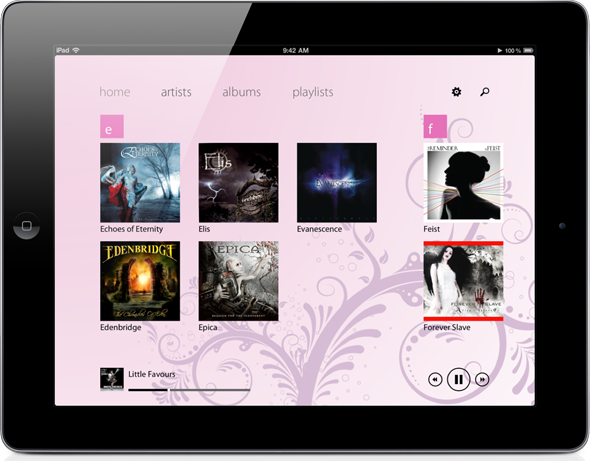
Windows 8 Style App for iPad

Here is an App I would really recommend to a fan of Windows Users, to give a different look to their music player on iPad.

I bring to you Track 8.

The looks to die for and functionality is far better than the default iOS app. Every thing is classy, user friendly. Costs at 1.99$

Link

Friday, August 24, 2012

Awsomly manage your Facebook. Twitter Feeds

Maybe you've heard of this fantastic app called Flipboard.

This app neatly and stylishly categories the things you want to read, on your android, ios devices. You can also choose various social feeds when you log in.

You can also make a Flipboard account so that it remembers your account settings

Free on both iOS, and Android platforms

iOS      Android

App Review 4.8/5

Tuesday, August 7, 2012

Do's and Dont's For a Monitor

DO's
1.When cleaning switch off, and unplug  the monitor
2.Spray the glass cleaner in short bursts
3.Clean the screen with a tissue paper

Dont's
1.Do not spray the glass cleaner solution if the monitor is hot
2.Do not spray on vents of the monitor


Monday, August 6, 2012

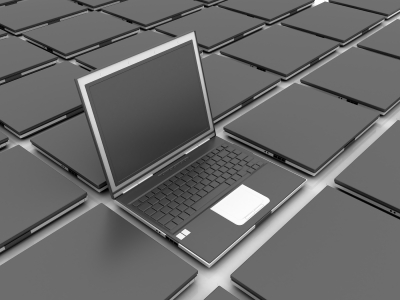
Laptop buying Guide

1.Size& weight of the laptop
2.Screen size
3.Battery life
4.Graphics Power
5.Wifi Range
6.Upgrading capacity
7.Build Quality
8.Warantee
9.Optical Drives
10.Heat generated
11.Storage
12.Softwares preloaded
13.Drivers
14.Connectivity
15.Memory Card Reader


Laptop Using Guide-The guide to healthy laptop usage

1.Shortcuts- Keep the apps you use frequently on the desktop
2.Boot faster-Run> Msconfig>Enter> Uncheck any thing you dont want to boot at the startup
3.Uninstall any thing you dont use now
4.Always update your ant-virus and windows
5.Avoid giving the laptop a free bumpy ride
6.Keep the ports clean
7.Keep the data always backed up
8.Close applications you are not using now
9.Remove the extra pendrives after use


Blogger Templates