Social Icons

Showing posts with label mobile phone. Show all posts

Friday, January 10, 2014

How to keep your mobile phone healthy- Part 1

Here's how can you keep your Android Phone healthy


UNINSTALL APPS-
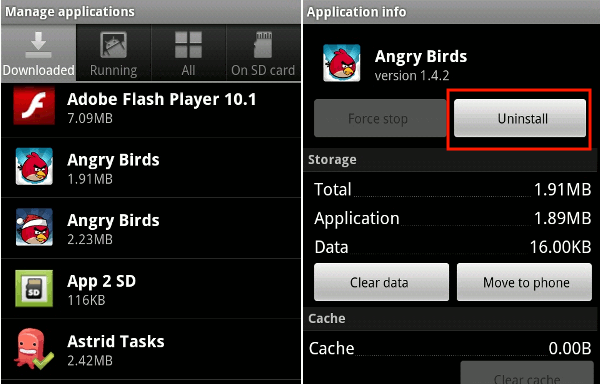
Everyone loves installing apps on their device, but this hogs on your Battery life and the processor speed.Improperly written apps can cause all sorts of trouble for your Android phone. Built-in problems can range from storing critical data as a plain-text file in your memory card to sullying your notification bar with constant updates that can't be disabled. Consider the official Facebook app: Opening it automatically turns on your GPS, in case you want to upload a photo or create a status update that shares your current location. That's fine and dandy, except that the app periodically forgets to turn off your phone's GPS once it's done using it, wasting precious battery power and leaving you scrambling for the nearest outlet. Even apps you aren't intentionally using may be running processes in the background that waste resources for no good reason. Unfortunately, task killers are generally ineffective at combating this problem, so your only practical option is to open your app drawer and uninstall apps that you don't regularly use. Doing so will open up space on your phone for more music, videos, and pictures, and it will help reduce the number of apps that are running in the background.

How to keep your mobile phone healthy- Part 2

Here's how can you keep your Android Phone healthy


Clean Out Your Memory Card
Cleaning out your SD Card may not boost your phone's performance, but it makes sense to remove any old or unused files that are just taking up space on the card. To identify the biggest hogs on your memory card, I recommend installing DiskUsage. This app shows you which files on your phone are taking up the most room, though you'll have to plug your phone into a computer or use a file browsing app (such as Astro) to delete the unneeded files. DiskUsage shows you what's on your SD Card. You should do this whenever you uninstall applications, largely because some apps leave folders of data behind when they're uninstalled. If your phone is rooted, you can download the SD Maid app to automatically clear out old junk files. SD Maid also lets you freeze or remove any bloatware that came preinstalled on your smartphone--so you can finally get rid of the annoying Blockbuster app that continually asks you for updates.

Root Your Phone
If you don't mind voiding your warranty, rooting can breathe new life into an ancient Android phone. A rooted phone gives you complete control over your Android device: You can remove unwanted bloatware, install root-only applications, and even load custom ROMs that change the look and feel of Android on your phone. Another benefit of rooting is that you no longer have to depend on your carrier for Android updates. While everyone else is waiting for their phone to receive Android 4.0, you can probably find a ROM for your phone that will give you a taste of Ice Cream Sandwich a few weeks or months before the update officially appears. Rooting isn't without its hazards, however, and a serious mistake can render your phone unusable. In my opinion, though, the benefits are worth the risks, especially if you have an older Android phone; it's definitely an option you should consider if you aren't satisfied with your current Android situation.


Blogger Templates