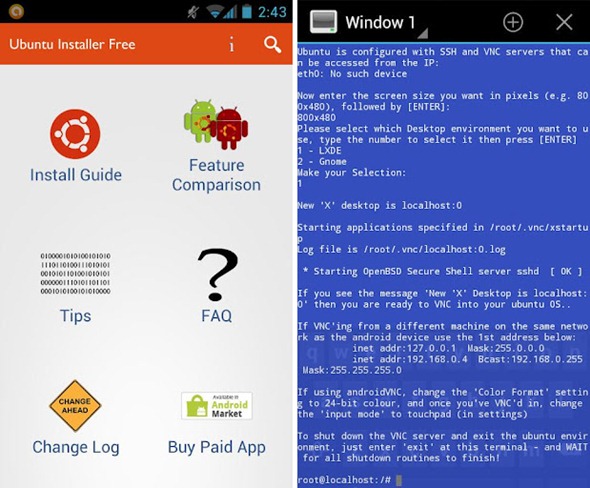
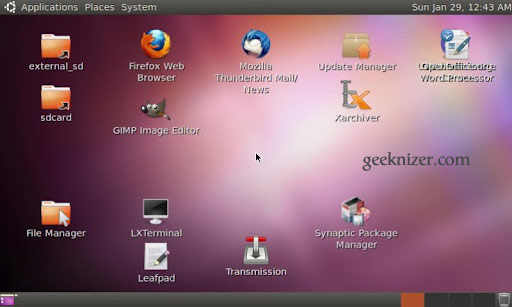
No, this is not a theme post, this trick actually allows you to install Ubuntu inside your android phone.
Android hackers have tried to install Windows 98, 95, Xp on their phones, this installs the best flavour of the linux platform Ubuntu
Although remember, if any thing happens to your phone, I shall not be taken responsible for it.!!!!
Requirements
- An Android Phone
- A rooted Android Phone
- 1GHZ processor (recommended)
- Android 2.0 or higher
- Most stock ROMS will work (No guarantee for custom ROMS)
- SD card with at least 4GB of free space
- Data connection on your device
Features List
- Ability to install a full operating system on your phone
- Unity 2d (lightweight gnome)
- Working update manager
- Working software center
- Open Office
- Firefox
- Working BitTorrent app
- 756MB-1.3 GB free space in virtual drive after install
- Ability to access files on your SD card from Ubuntu
- Ability to have a full Ubuntu desktop side by side with Android
This app provides the full instructions on how to install Ubuntu. There is large version of the installer that lets you install apps like firefox, etc(1.5 GB of download and 3.5 GB of installed)
LINK TO THE APP(paid)
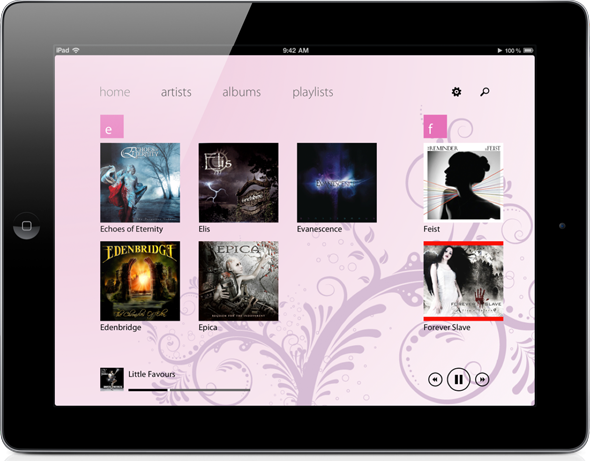 The looks to die for and functionality is far better than the default iOS app. Every thing is classy, user friendly. Costs at 1.99$