Social Icons

Friday, June 28, 2013

How to Backup Cydia Tweaks-Part 4

Cydia is the best option for you if you are like me- always wanting something new and quite frankly iOS does not give you something new unlike android, and also maybe you would like to backup your setting for a rainy day(pun-intended).

So, here's how you can backup your Cydia tweaks


xBackup

xBackup is probably the best option if you are on a tight budget. This is available for 1.50$ on the cydia store. This app also saved the app's settings for a perfect restore. After the firmware restore just sync with iTunes and hit restore and you got yourself a perfect working backup that you wanted before you formatted your iDevice

How to Backup Cydia Tweaks-Part 3

Cydia is the best option for you if you are like me- always wanting something new and quite frankly iOS does not give you something new unlike android, and also maybe you would like to backup your setting for a rainy day(pun-intended).

So, here's how you can backup your Cydia tweaks

PKGBackup

This is probably the best option available as of now! Download PKGBackup from Cydia. This will cost you about 8$ on the cydia store. This has to be most feature packed app around, with this app you can schedule backup- days and time!, also you an wirelessly sync with dropbox. It will also categorise your tweaks. Thumbs up to its creator!!!


Thursday, June 27, 2013

How to Backup Cydia Tweaks-Part 2

Cydia is the best option for you if you are like me- always wanting something new and quite frankly iOS does not give you something new unlike android, and also maybe you would like to backup your setting for a rainy day(pun-intended).

So, here's how you can backup your Cydia tweaks

OpenBackup

This is probably the cheapest option available as of now! Download OpenBackup from Cydia, after installation. Just tap on Backup and it will backup all your cydia tweaks with iTunes and or iCloud. When you are done re-installing the firmware download OpenBackup from Cydia, sync with iTunes/ iCloud and hit restore and voila you are done


How to Backup Cydia Tweaks-Part 1

Cydia is the best option for you if you are like me- always wanting something new and quite frankly iOS does not give you something new unlike android, and also maybe you would like to backup your setting for a rainy day(pun-intended).

So, here's how you can backup your Cydia tweaks

Cydia

In Cydia, now you have an option of creating an account and manage your downloads on it. To avail this simply tap on "Manage Account" on the front screen of Cydia, sign up if you haven't. 

P.S. This only backups paid apps not free ones


Wednesday, June 26, 2013

WWDC 2013 Roundup-Part4

In this year's WWDC Apple introduced some things that were quite unique here is a roundup

OSX Maveric

Apple also introduced OSX Maverics with the following new features

  • Finder Tabs
  • Full screen apps on multiple monitors
  • New Apple maps(sigh!)
  • iBooks
  • Faster Safari


WWDC 2013 Roundup-Part3

In this year's WWDC Apple introduced some things that were quite unique here is a roundup

iOS7

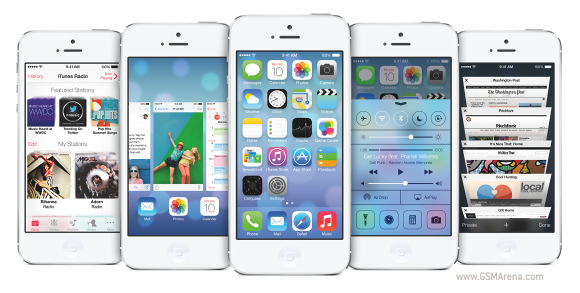
iOS7 saw a lot of changes since its inception here is a list of changes

  • Full Design change
  • Android-esque "Control Center"

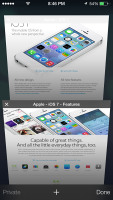
  • The Safari now gets a unified search service and 3d tabs

  • Airdrop-Share anything with iPhone 4 and above devices
  • New camera UI


  • SIRI with a man's voice
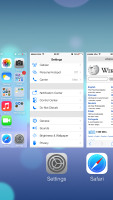
  • New Multitasking UI


  • Unlock the phone, and icons drift down 
  • Revamped weather app shows dynamic weather animations onscreen; pinch for all-city overview
  • Night mode for maps iCloud photo-sharing
  • iCloud keychain remembers sensitive data 
  • Long MMS support Swipe from day to day in Calendar Phone, FaceTime, and Message blocking
  • View PDF annotations 
  • Activation lock to protect against theft 
  • Support for 60fps video capture 
  • New App store UI 
  • Volume purchase from app store  
  • Maps bookmark synching 
  •  Notification sync Smart download for TV episodes 
  • Smart mailboxes 
  • Wi-Fi hotspot 2.0 
  • Tweaked mail search Inclinometer support AirDrop from activity sheet 
  • Background asset downloads Per app VPN Single sign-on for Enterprise
It will launch this fall

Compatible Devices


  • iPhone 4 
  • iPhone 4S 
  • iPhone 5 
  • iPad 2 
  • 3rd generation iPad with Retina
  • 4th generation iPad with Retina 
  • iPad Mini 
  • 5th generation iPod touch

Tuesday, June 25, 2013

WWDC 2013 Roundup-Part2

In this year's WWDC Apple introduced some things that were quite unique here is a roundup

Macbook Pro

The new Macbook pro comes at 100$ cheap and gives more battery life than the last generation. But everything else is the same(i wanted a touchscreen though). now includes a 4th geneation Core i5 processor. I think design wise they have come to a halt because when you already have the best you cannot innovate more


WWDC 2013 Roundup-Part1

In this year's WWDC Apple introduced some things that were quite unique here is a roundup

iTunes Radio

Apple as speculated introduced the world to iTunes radio. A pandora like app streaming service. This app helps you make playlists, and listen to your songs anywhere. It will also be integrated with SIRI, Apple's voice search assistant. It will come pre-installed with iOS7 devices


Mac Pro

Apple also teased the best looking computer hands down!! the new Mac Pro.


This small cylinderical CPU can hold upto a 12 core processor, can have double the speed of a normal laptop's hdd. It will support upto full 4K resolution. Nothing else is known upto now

Monday, June 24, 2013

Canvas 4

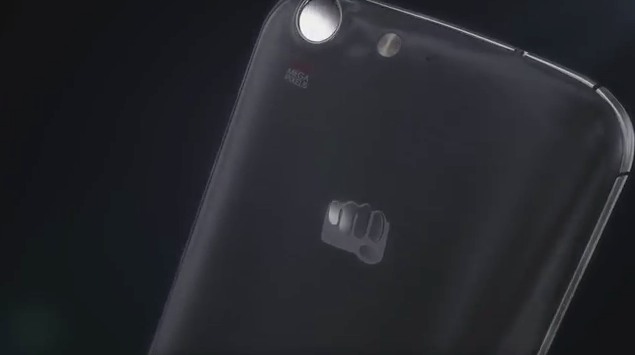
After the very successful Micromax Canvas 2. Indian developer Micromax is about to launch the Canvas 4. Earlier last month i shared the post that told you about the huge sales report of Canvas 2, read it all here

Micromax teased its new phone on the day of Ind Vs Pak ODI on 15th June 2013


E3 2013-Part5-ETC

Every year Gaming and entertainment enthusiasts come along in Los Angeles, to celebrate the common love of entertainment. This year was a little special.
Here is my roundup of what happened this year in E3


  • Hyperkin's Retron 5- This emulator can emulate 9 consoles. This runs on a highly customized Android system. A must buy for 100$
  • Virtuix Omni VR treadmill- This is a treadmill from the future!

Wednesday, June 19, 2013

E3 2013-Part4-Games

Every year Gaming and entertainment enthusiasts come along in Los Angeles, to celebrate the common love of entertainment. This year was a little special.
Here is my roundup of what happened this year in E3


  • Transistor

  • Splinter Cell: Blacklist


  • Rayman Legends


E3 2013-Part3- Nintendo

Every year Gaming and entertainment enthusiasts come along in Los Angeles, to celebrate the common love of entertainment. This year was a little special.
Here is my roundup of what happened this year in E3

Nintendo

Nintendo did not launch a new console this year as it did so last one. So they launched a plethora of games those are

  • Super Mario 3D World-A sequel to super mario 64. This has to be the best looking 3d mario game ever. This game allows mario to wear suits. Launching for Wii U this December


  • DONKEY KONG COUNTRY: TROPICAL FREEZE- A jumping game launching this November
  • Bayonetta2- A third person shooter game for WiiU, with pretty nice graphics
  • THE LEGEND OF ZELDA: WIND WAKER HD-This Cel shaded game looks a little kiddish but i hope the gameplay would be nice

Tuesday, June 18, 2013

E3 2013-Part1- Sony- PS4

Every year Gaming and entertainment enthusiasts come along in Los Angeles, to celebrate the common love of entertainment. This year was a little special.
Here is my roundup of what happened this year in E3

PS4

This year PS4 by Sony finally launched overcoming the Xbox One. It came with a cheaper price tag, more flexibility.

Here are its specifications
  • All new controller
  • Online features include- Multiplayer voice chat, Video chat
  • Play the first level of the game while the second and the third are downloading
  • Price- starting from 399$(100$ less than Xbox One)
  • Internal 500 GB HDD
  • 5 Core processor 5 GB RAM
  • The ability to use games without any restrictions
  • Game lending is possible
  • No need to be always online
  • Not region locked
  • Available from November 2013
  • Online pre-orders available on Amazon
  • An app will also be launched which will enable users to play from tablets
  • A new UI, multitasking features


  • Sony to make own programs for PS4
  • To play online you might have to pay 5$ per month

E3 2013-Part2- Microsoft- Xbox one

Every year Gaming and entertainment enthusiasts come along in Los Angeles, to celebrate the common love of entertainment. This year was a little special.
Here is my roundup of what happened this year in E3

Xbox One

  • It will launch in November 2012
  • People buying on first day will get limited edition
  • ability to record and upload game videos
  • Can change Xbox points to real money
  • Xbox 360 for people who cant be online all the time
  • Xbox one has to be online all the time(big power bills eh!!)
  • Windows 8 like Powerglass redesign


Monday, June 17, 2013

Awesome Tweaks for Your iDevice-Part6

Here is a list of some awesome tweaks for your iDevice


For iOS V3.x


Awesome Tweaks for Your iDevice-Part5

Here is a list of some awesome tweaks for your iDevice


Friday, June 14, 2013

Awesome Tweaks for Your iDevice-Part7

Here is a list of some awesome tweaks for your iDevice


Awesome Tweaks for Your iDevice-Part8

Here is a list of some awesome tweaks for your iDevice


  • Mobile Terminal v4.2.6 (iOS 4.x Compatible) - This is the iOS 4.x Compatible version of Mobile Terminal. Just place in "var/root/Media/Cydia/AutoInstall and then REBOOT LINK:http://www.mediafire.com/?c3qq36pqtm3o5zl

Thursday, June 13, 2013

Awesome Tweaks for Your iDevice-Part4

Here is a list of some awesome tweaks for your iDevice


  • 2xrm (v2.2-1) - This script removes ALL @2x.png RETINA images. This will help speed up your iPhone a little bit and even free up a little space. Place "2xrm" in "usr/bin" and give "0755" permissions. Install via Mobile Terminal: Login as root ("su" and "alpine") and run the command "2xrm" (Follow directions after) (~WARNING~ DO NOT USE WITH iPhone 4 or iPod Touch (Retina Display). It will force you to restore!) LINK:http://www.mediafire.com/?6785l8p15sou5h5 
  • iBook.zip - iBook/Stanza mod. Made to make Stanza LOOK like iBooks (only makes icon look like iBooks), read HOW TO.txt LINK:http://www.mediafire.com/?t64lk7q9vcbxjp
  • LiteFoldersV2.zip - Improved graphics for iOS 3 Folders. Place images in: System/Library/Core Services/Springboard.app/Folders LINK:http://www.mediafire.com/?4fyq65fs6ig05u
  • ToAdd.zip - Cydia Speed up Tweak. Replaces some files (Includes new Cydia icon). Read HOW TO.txt LINK:http://www.mediafire.com/?ya2m334680c6xg4 
  • VoiceControl.zip - Unofficial Voice Control for iPhone 2G/3G. (Not the best voice control). Place in /Applications and give "0755" permissions (You might have to set recursively) LINK:http://www.mediafire.com/?cfbm5lgq94am221

Awesome Tweaks for Your iDevice-Part3

Here is a list of some awesome tweaks for your iDevice


Wednesday, June 12, 2013

Awesome Tweaks for Your iDevice-Part2

Here is a list of some awesome tweaks for your iDevice


Awesome Tweaks for Your iDevice-Part1

Here is a list of some awesome tweaks for your iDevice


Tuesday, June 11, 2013

Samsung S3 Mini Available in India

The Samsung S3 Mini, which was launched in October 2012, was spotted in the Grey Markets in Delhi. When asked the price quoted was 17,000 Rupees.

Here are its specs

  • 4-inch Super AMOLED display with a WVGA resolution of 480 x 800 pixels 
  • 3G, EDGE/GPRS, Wi-Fi with Wi-Fi Direct, Wi-Fi Hotspot, DLNA support GPS with A-GPS and GLONASS Bluetooth 4.0 with A2DP, LE, EDR, NFC 
  • 5 megapixel camera with AF, LED flash, BSI sensor and 720p HD video recording VGA front facing camera for video chat 
  • 16/32GB internal memory expandable up to 32GB via microSD
  • Sensors for accelerometer, gyro, proximity and compass 
  • 1500mAh battery 121.6 x 63 x 9.9 mm and weighs in at 111.5 g. 
  • Dual core 1GHz NovaThor U8420 processor and comes equipped with 1GB RAM 
  • Android 4.1 Jelly Bean


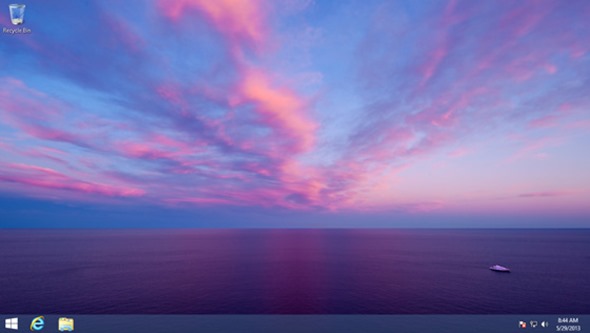
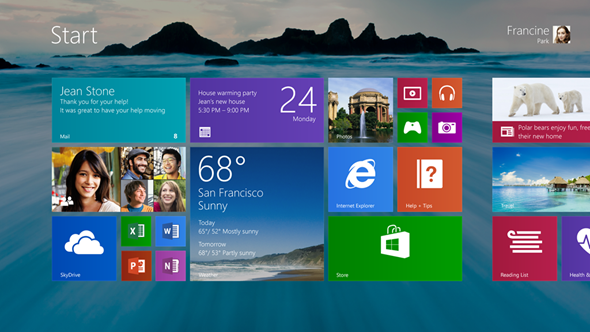
Here is Windows 8.1

Windows 8.1 is just around the corner and here are some of its details


  • Ability to run photos as a slideshow on the lockscreen-both from hdd or cloud storage
  • Capture photos from lockscreen
  • More personalization for the start screen(modern UI)
  • Start Button (thankfully)


I will bring more info as soon as more is leaked


Monday, June 10, 2013

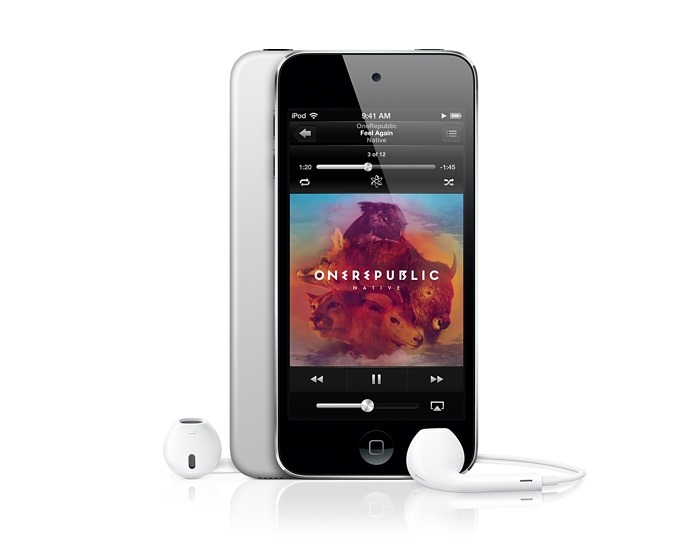
New iPod Touch

Apple very secretly launched a new iPod Touch in the US. Here are the details


  • 16 GB Memory
  • 4 Inch Display
  • Budget iPod
  • Design looks like a small iPad Mini
  • No back camera
  • Front Facing Camera only
  • Retina Display


People Who modeled for Gaming Characters

Today i am sharing this photo with all you gaming enthus. It shows which gaming character was modeled on which model/ Actor


Wednesday, June 5, 2013

Android Tips&Trick-Part 8

This tips and tricks is mainly for Android users which have OS V4.0 and above


Make your phone run faster 
Here are the top 5 tips to make your phone run faster: 

1) Use only essential widgets on your homescreen - each widget consumes memory and processing power which can slow your down your phone. 

 2) Uninstall apps that you don't use - after awhile your phone can get cluttered as some Apps are designed to always run in the background. If you rarely use an App, then uninstall it to free up memory and CPU resource. 

 3) Install Apps to your phone memory - if you have an SDCard, always install Apps to the phone memory, which can be accessed faster. If you have Apps on the SDCard, then move them back to the phone memory with an App called Move2SD available from the Play Market. 

 4) Use Static rather than Live wallpapers - Live wallpapers consume processing power and memory. Unless you really must have them, uninstall them. 

 5) Kill tasks occasionally - Some Apps will run in the background indefinitely unless you kill them. Most of them won't cause a problem, but it pays to check your running tasks from time to time. Hold down your Home key and check the Task Manager. 

 One last thing: Don't use Task Killers. Android manages tasks very well and Task Killers just make your phone unstable and can slow it down further

Android Tips&Trick-Part 7

This tips and tricks is mainly for Android users which have OS V4.0 and above


31.Make volume / music louder
WARNING: Making your volume or music louder can damage your hearing. Most phones have their volumes limited by local laws to protect our hearing. There is a way to boost your volume however.

Go to the Android Market and download an App called Volume+ (Sound Boost).

There is also a free version called Volume+ Free. You will need to root your phone for this App to work.

Tuesday, June 4, 2013

Android Tips&Trick-Part 6

This tips and tricks is mainly for Android users which have OS V4.0 and above


26.Customise your favourites tray At the bottom of each homescreen is your favourites tray, which consists of 5 icons. You can customise it by adding icons to the tray. If it's full however, you will first need to remove some. To remove an icon, simply press and hold an icon. Then drag it to your desktop.  Then to add a new one, simply drag an icon from your homescreen to the favourites tray.

27.Enable / disable vibrate / haptic feedback when you type To disable / enable vibrate (also called haptic feedback) when you type or press the screen, go to Settings - Language & input - Settings.  Then uncheck Vibrate on keypress.

28.Enable sideload of Apps If you want to install Apps outside of the Android Market (called sideloading), then go to Settings - Security - Unknown sources.

 Note: use at your own risk.

29.Forgotten Unlock Pattern If you have forgotten your custom unlock pattern, then don't panic.  After 5 unsuccessful tries a button should appear saying 'Forgot pattern'.

Press this and you will be asked to enter your Gmail username/password.  The phone will then ask for a new unlock pattern.

If you don't have a Gmail account, then you might have to either call your carrier or factory reset your phone.

30.Hide folders or files If you want to hide folders or files from being index or displayed, simple put a . (full stop / period) before the file or folder name.

Android Tips&Trick-Part 5

This tips and tricks is mainly for Android users which have OS V4.0 and above


21.Check the firmware version To check your firmware version, start from the Homescreen and press Menu - Settings - About Phone- software version This should list your Android version, Build number and Model Number.

22. Copy files between your phone and PC using WiFi To copy files between your phone and PC, go to the Android Play Market and download an app called AirDroid.  This is an extremely useful App that connects your phone to your PC wirelessly, allowing you to move files and many, many other things.

23. Copying iTunes songs to Android If you have decided to ditch your iPhone in favour of Android, then there is a simple way to take your iTunes music, playlists and album art with you.

 Simply go the Android Marketplace and download a Free App called Easy Phone Tunes. You will also need the computer version of the software, so go to http://easyphonetunes.com and download it from there.

 Then, when that is done, turn your phone into a USB storage device (this will vary from device to device, but instructions are on the website). Once your phone is connected to your computer, open the computer version of the software and select your device from the Easy Phone Tunes list.

Then follow the instructions to Sync your media

24.Create folders in your Quick Launch bar If you have used up all of your Quick Launch spaces, then there is a trick.  Once it is full, press and drag an App from the homescreen and move it over the top of an App in the Quick Launch area. Then release your finger. This will create a folder containing the original App plus the new one. This is a great way to have access to regularly used App

25.Create shortcut to websites on your home screen To create a shortcut to a website on your homescreen, go to your browser bookmarks.
Then long press on a site and select Add shortcut to Home

Monday, June 3, 2013

Android Tips&Trick-Part 4

This tips and tricks is mainly for Android users which have OS V4.0 and above


16.Change keyboards To change keyboards (if you have additional keyboards installed), you can switch between them by pressing the small keyboard symbol in the top left of your screen. You will need to be in keyboard input mode (i.e. typing something) for this to work.  Note: you need to have more than one keyboard installed for this to work

17. Change quick response texts The phone has the ability to send quick response text messages if your phone is ringing but you can't answer it.  To change these, go to your Dialer App - Settings - Quick responses. You can only have 4 of them and you may need to edit existing ones.

18. Change the backlight screen timeout To change the backlight screen timeout, go to Settings - Display - Screen. Then choose the screen time out duration. You can also tell the phone screen to always stay lit when it is plugged in via USB. Go to Settings - Developer Options. Then check Stay Awake.

19. Change the screen brightness To change the screen brightness, start from the Homescreen and press Menu - Settings - Display - Brightness.  Then choose the desired brightness setting. You can also select Automatic brightness to let the phone decide for you. If you have auto-brightness enabled, you can also press, hold and slide the top notification bar left and right. The brightness will increase and decrease accordingly.

20. Check phone status and battery usage To find out information about Signal Strength, Network Information, Remaining Battery Time and Battery Usage (by Application), go to your Homescreen - Menu - Settings - About Phone.

Android Tips&Trick-Part 3

This tips and tricks is mainly for Android users which have OS V4.0 and above


11.Android Easter egg There is an Easter egg hidden in the Android operating system. To see it, go to your Homescreen, then press Menu - Settings - About phone.  Then tap on the Android version option 5 times and you will get a surprise. Sometimes it doesn't work, so try a couple of times. By the way don't expect to see an actual Easter Egg. That is just the name given to things hidden inside software or operating systems.

12. Auto focus the camera When taking photos or videos, tap the screen where you want to focus on. The phone will automatically adjust the settings to improve the image or video

13.Bring up more predicted words If you have word prediction enabled while you are typing, you can long press the middle word that is suggested. This will bring up a menu allowing you to select various other suggested words.

14. Browse websites in full-screen mode If you want to browse in full screen mode, without the URL bar at the top of the browser, then you can enable this.. Open the standard browser and press Menu - Settings - Labs. Then put a check mark under Full Screen . To get access to the browser options (that are now invisible), there is now a neat hidden menu. Slide your finger in from the left or right of the screen. A circular menu will appear with various options.

15.Capture a still shot while recording video To capture a still shot while recording a video, simply tap the screen while you are recording.  This will save a still image.
 
 
Blogger Templates